
The UptimeRobot alternative that counts what an outage cost
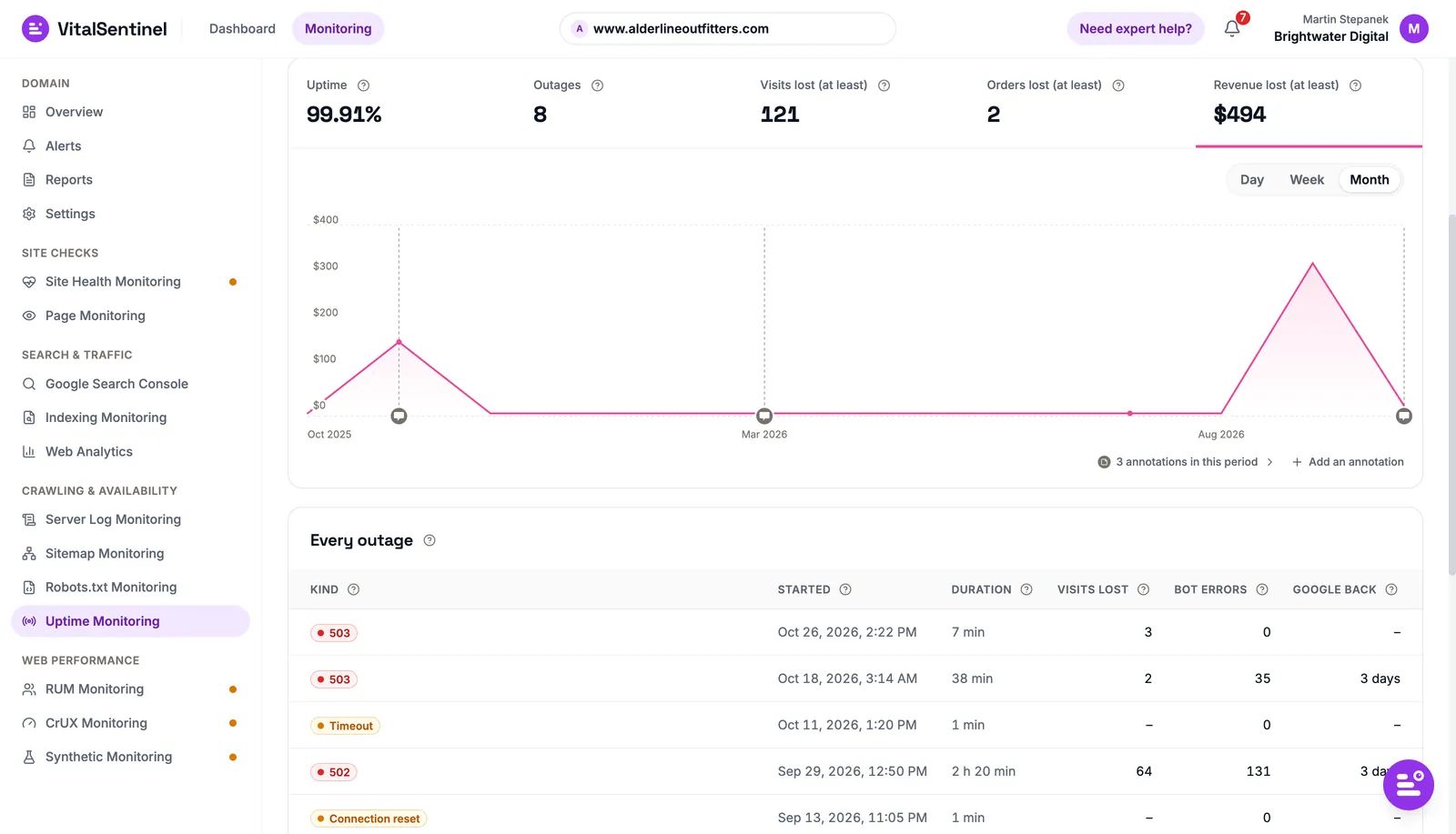
An uptime check tells you the site stopped answering. With Web Analytics and server logs connected, VitalSentinel also tells you what that cost in visits, orders and revenue, and when Googlebot came back.
Up or down is only the first question
UptimeRobot is quick to set up and generous on its Free plan. What an outage did to your traffic and search visibility sits in other tools.
The cost of an outage
Thirty minutes down on a Tuesday morning is not thirty minutes at 3 a.m., and an uptime alert does not say how many visits or orders you lost.
What Google saw
Googlebot may hit errors during an outage and crawl less for days after. That shows in server logs, not an uptime check.
Problems that keep the site up
A slow LCP, a new noindex or a robots.txt rule that blocks a folder all leave the site answering 200 OK, while clicks fall.
What you get when you move from UptimeRobot
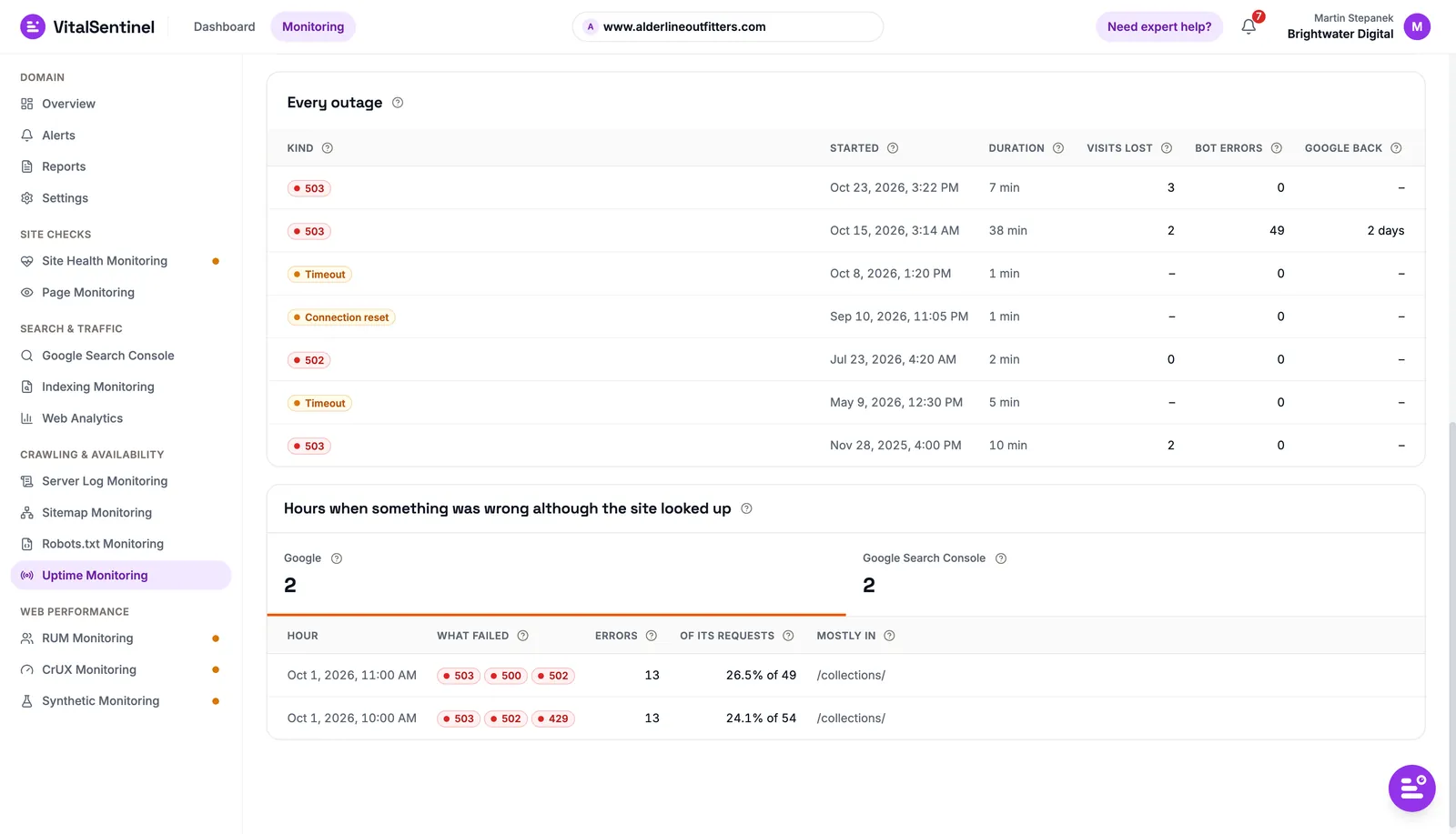
- With server logs connected, each outage shows the bot errors and how long Google took to crawl normally again.Uptime Monitoring01 / 04
UptimeRobot vs VitalSentinel
| Feature |  VitalSentinel | UptimeRobot |
|---|---|---|
| Availability | ||
| Uptime checks | ||
| SSL certificate and domain expiry | ||
| Visits, orders and revenue each outage cost | ||
| What search and AI bots got during an outage | ||
| Port, ping, keyword, DNS and API monitors | ||
| Public status pages | ||
| Checks from several locations | ||
| Web performance | ||
| Real User Monitoring (RUM) | ||
| CrUX Monitoring | ||
| Synthetic Monitoring (Lighthouse) | ||
| Search & crawling | ||
| Indexing Monitoring | ||
| Robots.txt Monitoring | ||
| Sitemap Monitoring | ||
| Site Health and Page Monitoring | ||
| Server Log Monitoring | ||
| Google Search Console | ||
| Traffic | ||
| Web Analytics | ||
| Alerts | ||
| Email alerts | ||
| Slack and webhook alerts (VitalSentinel: from Lite up) | ||
| SMS and voice call alerts |
Comparison based on publicly available information. UptimeRobot is a trademark of its owner; VitalSentinel is not affiliated with or endorsed by UptimeRobot. Last updated: October 30, 2026
Pricing compared
- 1 domain
- All 12 modules
- Uptime checks every 5 minutes
- No credit card
- 3 domains
- All 12 modules
- Uptime checks every minute
- 100K RUM page views a month
- Free: 50 monitors, 5-minute checks, 1 status page
- Solo: 10 monitors, 60-second checks, 3 status pages
- Team, €41/mo: 100 monitors, 30-second checks, 3 seats
For uptime checks alone, UptimeRobot costs less, and its Free plan covers far more endpoints. VitalSentinel's price buys the other 11 modules and the links between them, such as the visits an outage cost.
UptimeRobot prices from its public pricing page, billed monthly. UptimeRobot lists its plans in euros. Our prices exclude VAT. Last updated: October 30, 2026.
Where UptimeRobot is the better pick
If availability across many endpoints is the job, a dedicated uptime monitor is the better tool.
Many monitors, cheaply
UptimeRobot's Free plan has 50 monitors, and paid plans go to hundreds. VitalSentinel checks one page per domain, from one place.
More kinds of checks
UptimeRobot runs port, ping, keyword, UDP, DNS and API monitors from several locations, down to 30 or 15 seconds on higher plans. VitalSentinel checks every minute on paid plans.
Status pages and phone alerts
UptimeRobot hosts public status pages on your own domain and alerts by SMS or voice call. VitalSentinel has neither status pages nor phone alerts.
You can keep a dedicated uptime monitor for infrastructure and use VitalSentinel for the website: what an outage cost, and the problems no uptime check sees.
Moving over from UptimeRobot
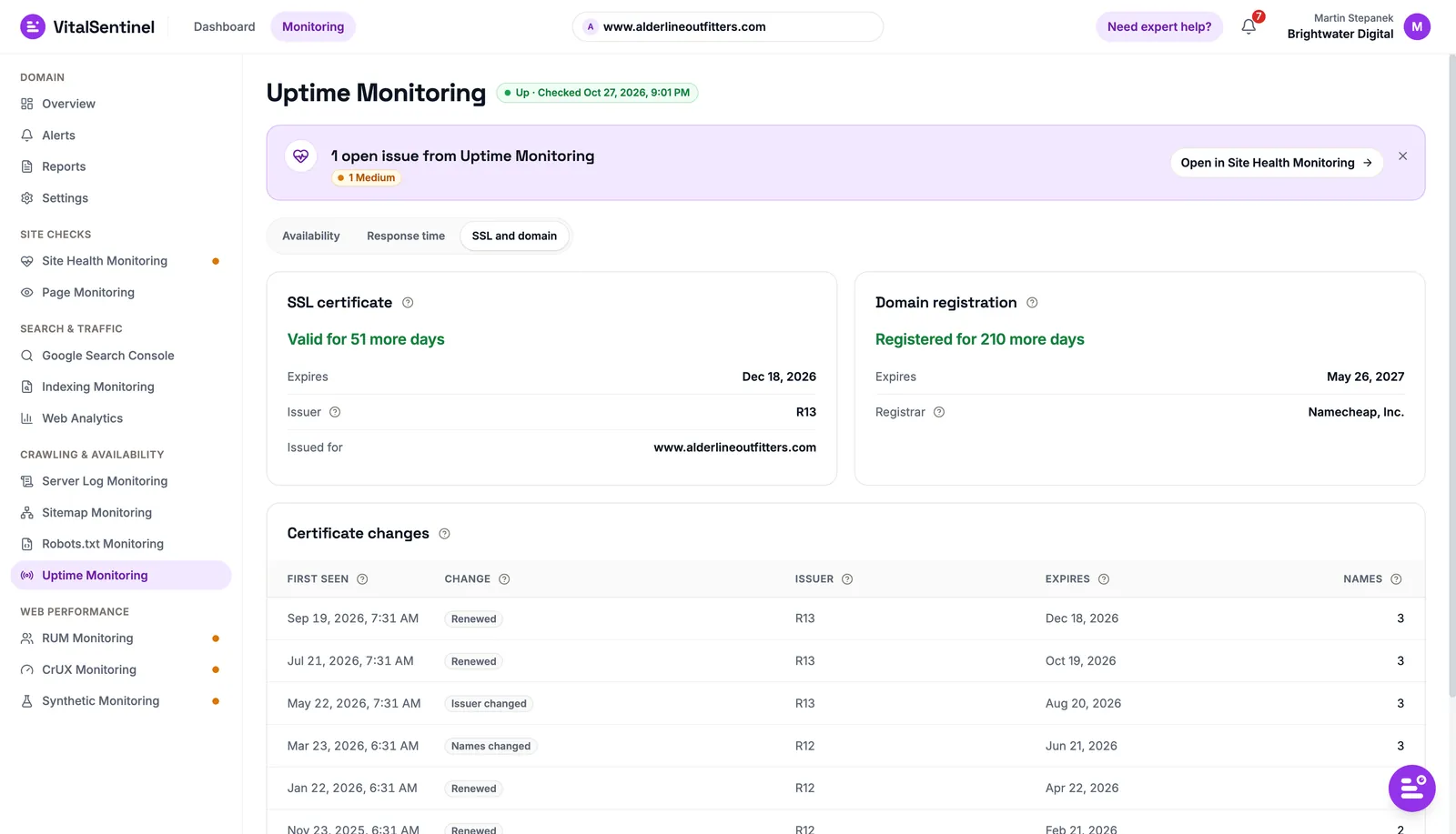
There is nothing to import. Uptime checks start as soon as your domain is verified, so you can run both side by side while you compare.
- Done
Start free
Create an account and add your domain.
- Done
Verify the domain
CrUX, indexing, robots.txt, sitemaps and Site Health checks start at once, along with uptime, SSL and domain checks.
- Done
Add the scripts
The small async scripts add RUM and Web Analytics, which price every outage in visits, orders and revenue.
- Done
Pick an alert template
Start with "Essentials – know when the site breaks", and connect Slack or a webhook from Lite up.
It helps to have everything in one place, so I can stop paying for a few tools and use one with all the information I need.
“Vital Tool for Quick Website Checks”
The first screen shows the main technical issues across all my projects, so I can quickly get a handle on the situation with each website. … Checking every website for problems used to take a lot of time, but now it is much faster.
Know what your next outage cost
In visits, orders and revenue, not only in minutes down.