
Ask about your site. Get an answer from your own data.
Theo is the AI assistant inside VitalSentinel. Ask why a page is slow or what broke overnight, and it checks your setup, alerts and modules, then tells you where to fix it.
- Knows the page you are on and the site you picked
- Reads only – it never changes a thing
- Included on every plan, Free too
Why is /pricing slow on phones?
defer.In ancient Greek, a theoros was a watcher, sent to observe and bring back a faithful report. Theo does that job for your sites, plainly.
Theo reads what VitalSentinel already knows
A general chatbot only knows what you paste into it. Theo looks things up in your workspace, with your own permissions, and the chat tells you what it is reading while it works.
Which modules are connected, waiting for data, need attention or reached a plan limit
“Is my Google Search Console connected?”
The main numbers of every module for a site, last 28 days against the 28 before
“Which module needs attention first?”
Everything VitalSentinel knows about one URL: crawl, Google Search Console, indexing, server logs, Core Web Vitals, alerts
“Is /blog/launch indexed?”
The alerts that are open now for a site
“What broke overnight?”
Your plan, its limits and your current usage
“How many RUM page views did I use?”
The VitalSentinel docs, to explain a feature or a setup step
“How do I verify my domain?”
Every answer says where it came from
The docs, your own data, or a person on the team.
- 01
The docs
As you type, matching docs pages show up under the box. If the docs answer it, that is the answer.
From the docs - 02
AI on your own data
When the docs are not enough, an AI model reads them and your data, then writes the answer.
AI answer - 03
A human
Still stuck? Send the conversation to the VitalSentinel team as a support ticket, from the same panel.
Send to the team
One round button, on every page
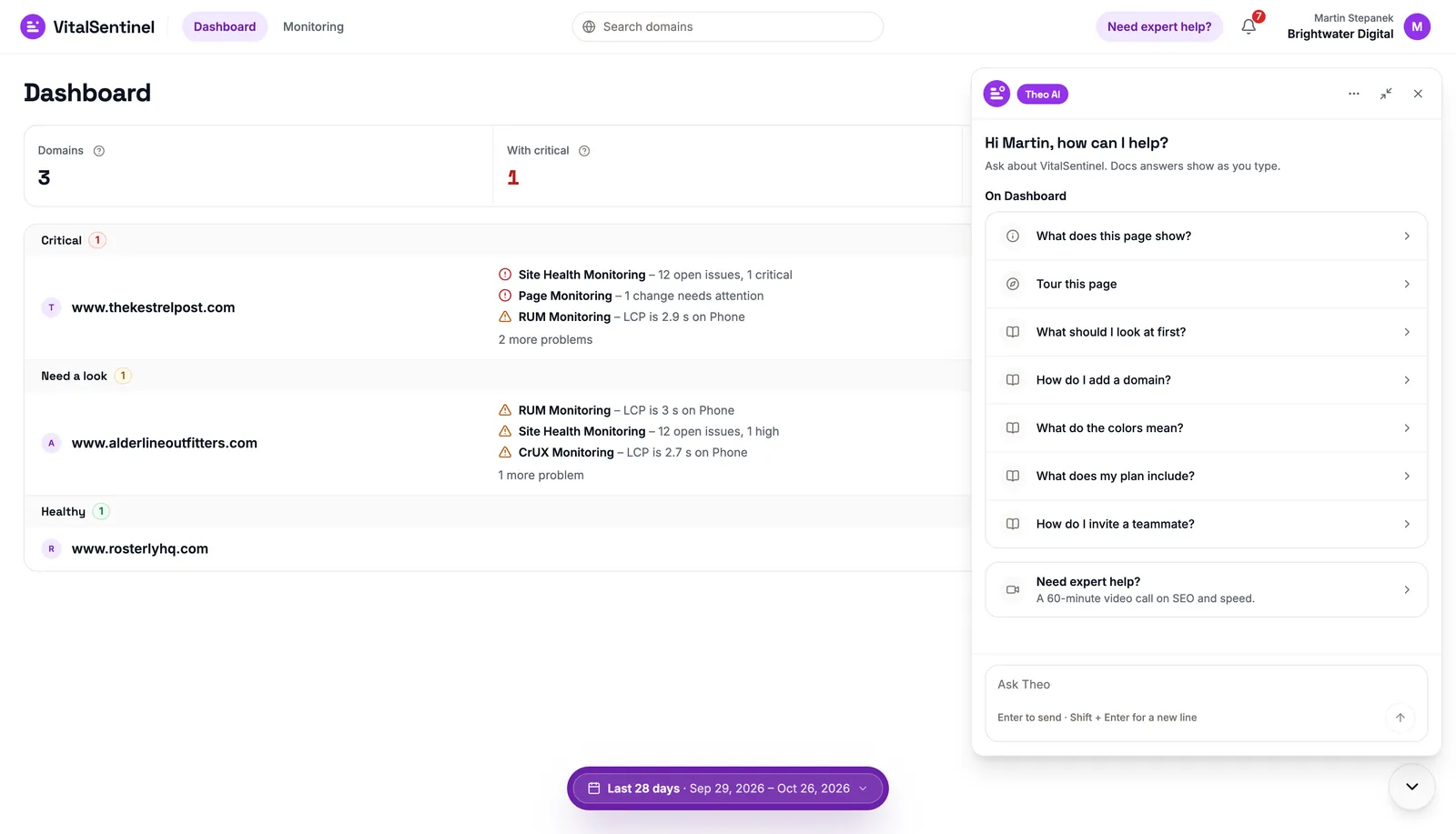
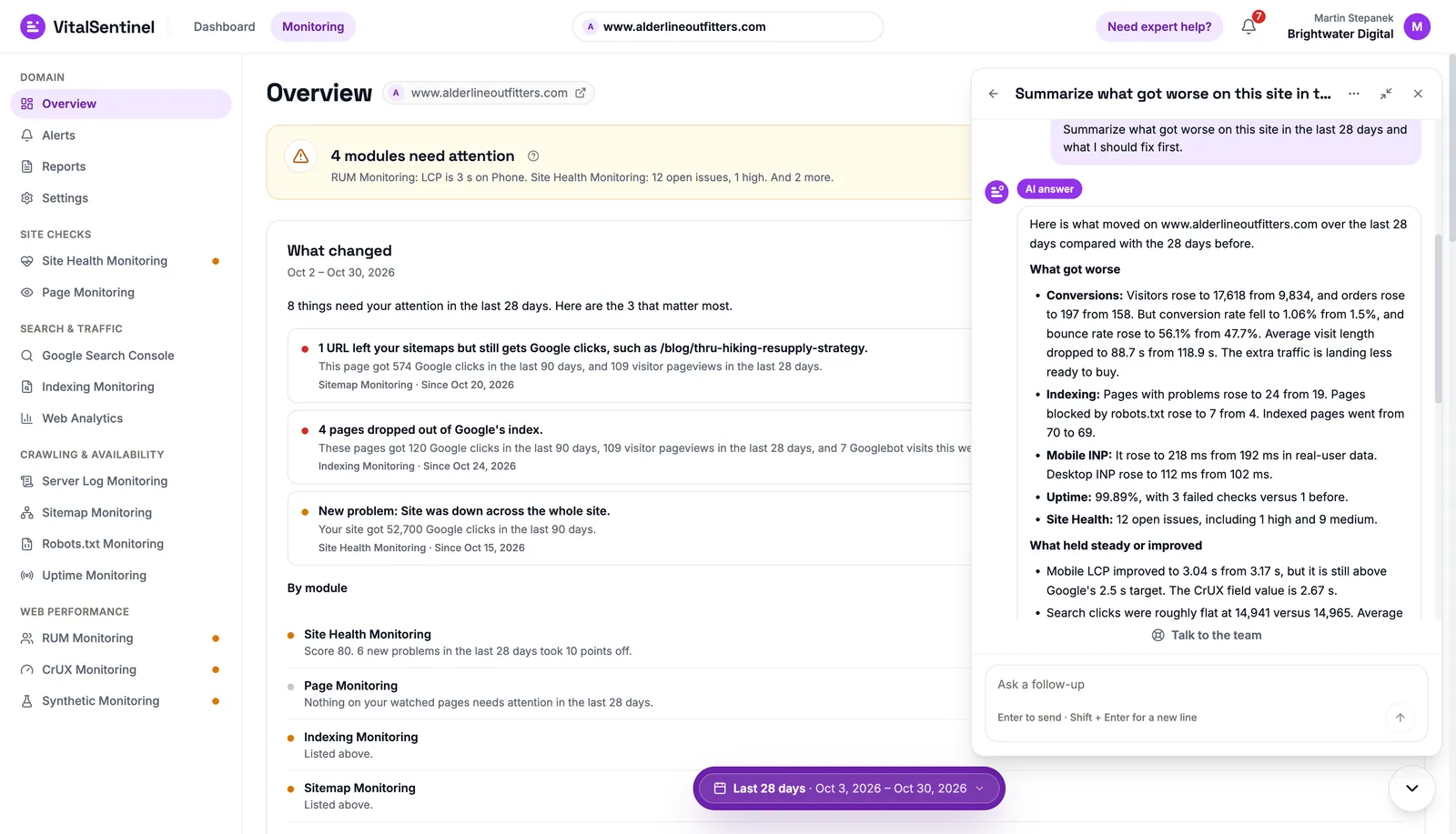
- Open Theo from the bottom-right corner for questions suggested for the page you are on, and docs answers as you type.01 / 04
It looks. You decide.
Theo cannot change a setting or send anything on your behalf. It explains the fix, gives a short snippet if one helps and opens the right page. You make the change.
Details in the Privacy Policy and the Theo docs.
Questions about Theo
Can Theo change my settings or data?
No. Theo can only read. It has no tool that writes, deletes or sends anything in your account, and it cannot open web pages on the internet.
When a change is needed, Theo tells you what to do and shows a button to the right page.
Is Theo included in my plan?
Yes, on every plan, Free included. Docs answers and support tickets have no limit.
AI answers come from a monthly allowance per workspace that starts again on the 1st, and only questions that reach the AI count.
Which AI does Theo use?
The AI answers use models from Anthropic.
Before your question goes out, VitalSentinel masks email addresses, phone numbers, IP addresses, query strings, keys and tokens, and checks the answer again before showing it.
Who can see my conversations?
Only you. Other members of the workspace cannot. The VitalSentinel team sees a conversation only if you click Still need help or send it as a ticket.
Conversations are kept for up to 180 days.
What will Theo not answer?
Anything outside VitalSentinel and your sites: general programming, news, homework and so on.
It gives short fixes, like a robots.txt rule, a canonical tag or a redirect, but not whole programs or pages.
How is Theo different from the MCP server?
Theo lives inside the app, knows which page you are on and can hand you to the team.
The MCP server takes the same monitoring data to the assistant you already use, like Claude or ChatGPT.
More in the Theo docs. Want the same data in Claude or ChatGPT? Connect the MCP server.

Your site, explained in plain words
Add a domain, open the round button in the corner and ask.