
robots.txt tester & validator
Can Google or an AI crawler reach a page on your site? Our free robots.txt tester answers that in seconds for 29 crawlers, and names the rule behind every verdict, including the ones that quietly let a crawler past your wildcard.
This tool checks once.Robots.txt Monitoring keeps checking.
It checks on a schedule and alerts you the moment the result changes, so you never have to remember to run this again. Ask Theo, the AI assistant in the app, and it explains any finding in plain words.
The same check on every page you visit
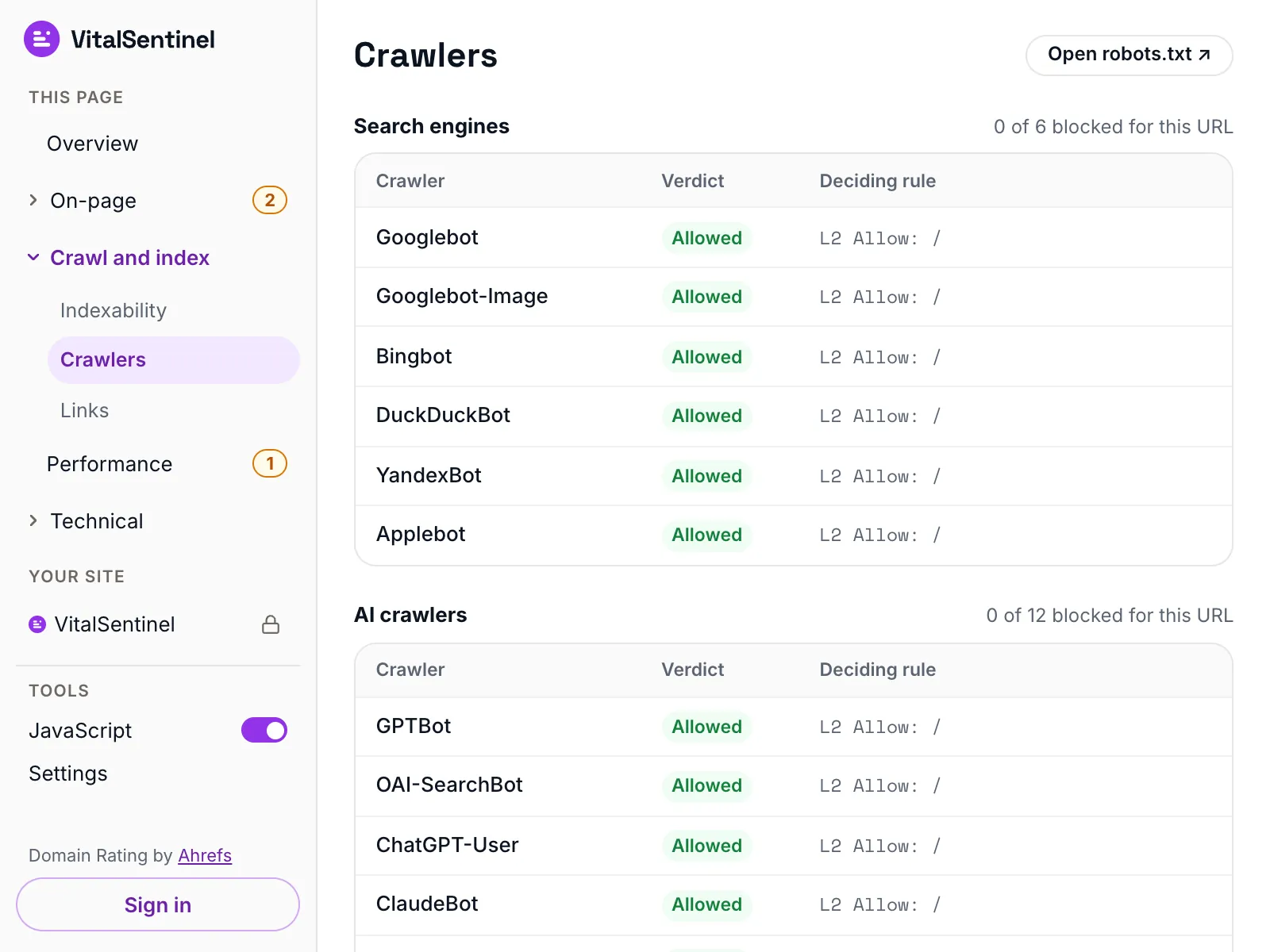
In the free VitalSentinel SEO Extension for Chrome, one click shows whether 6 search engines and 12 AI crawlers are allowed in, with the robots.txt rule that decides each, for the page you have open.
- Free
- No account needed
- One click
What it checks
- Fetches your robots.txt, reports the status code and any redirects it followed, and lists every syntax problem worst first
- Tests one page path against 29 search, AI and regional crawlers, using the same matching rules Google uses
- Shows where a crawler has rules of its own that exempt it from the User-agent: * block you wrote
- Lists the Sitemap and User-agent lines your file declares, and flags Crawl-delay values Googlebot ignores outright
What it does not
- It tests one path per run, so check each page you care about separately. It does not open the sitemaps your robots.txt points at
- Every verdict uses Google's matching rules, for all 29 crawlers. Bing and Yandex document the same precedence; other crawlers do not say how they match
- It does not read meta robots, X-Robots-Tag or canonical tags, so it tells you crawlable, not indexable
- It reads your file once, as VitalSentinel Free Tools Bot. A site can serve different rules to Googlebot
Questions
The tester says a crawler is allowed, but my robots.txt disallows it. Why?
Usually because that crawler is named in a User-agent block of its own. A crawler obeys only the block that names it, so your User-agent: * rules never reach it. Repeat the Disallow lines inside that block.
If the row says no rule matched instead, check the path: robots.txt is case sensitive, so Disallow: /Admin does not block /admin.
Which rule wins when an Allow and a Disallow both match a URL?
The longer of the two rules wins, counted in characters, whatever order the lines appear in. If both are exactly the same length, Allow wins.
That is what RFC 9309 defines, what Google implements, and the matcher this tester uses. Bing and Yandex document the same precedence; other crawlers, AI crawlers included, do not say how they match.
Does blocking an AI crawler in robots.txt actually stop it?
Only for the crawlers that choose to honor it. robots.txt is a published request, not enforcement, and nothing here can test whether a given crawler obeys it: the crawler list is built from each vendor's own documentation of the token it says it uses.
Anything that ignores robots.txt has to be blocked at your CDN, firewall or server.
Will a Disallow remove a page from Google?
No. Disallow stops Google fetching the page, not listing it. A blocked URL that other pages link to can still appear in results without a description. To remove a page, let Google crawl it and add a noindex tag.
More free tools
Fair use, and how to recognize us
5 per minute · 25 per hour · 100 per day per IP (per /64 for IPv6), plus a per-site limit
Every request these tools make sends this user agent, including the ones that load a page in a real browser. What a run records is set out in our privacy policy.
Mozilla/5.0 (compatible; VitalSentinel Free Tools Bot/1.0; +https://www.vitalsentinel.com/bot)
Stop checking by hand
Core Web Vitals from real users, indexing and robots.txt, uptime and SSL, monitored continuously. Start on the Free plan and add your first domain in under a minute.