
See what holds any page back. In one click.
The VitalSentinel SEO Extension checks the page you have open, from indexability and AI crawler access to Core Web Vitals. It runs in your browser, and you do not need an account.
Free · Chrome 120+ · No account needed

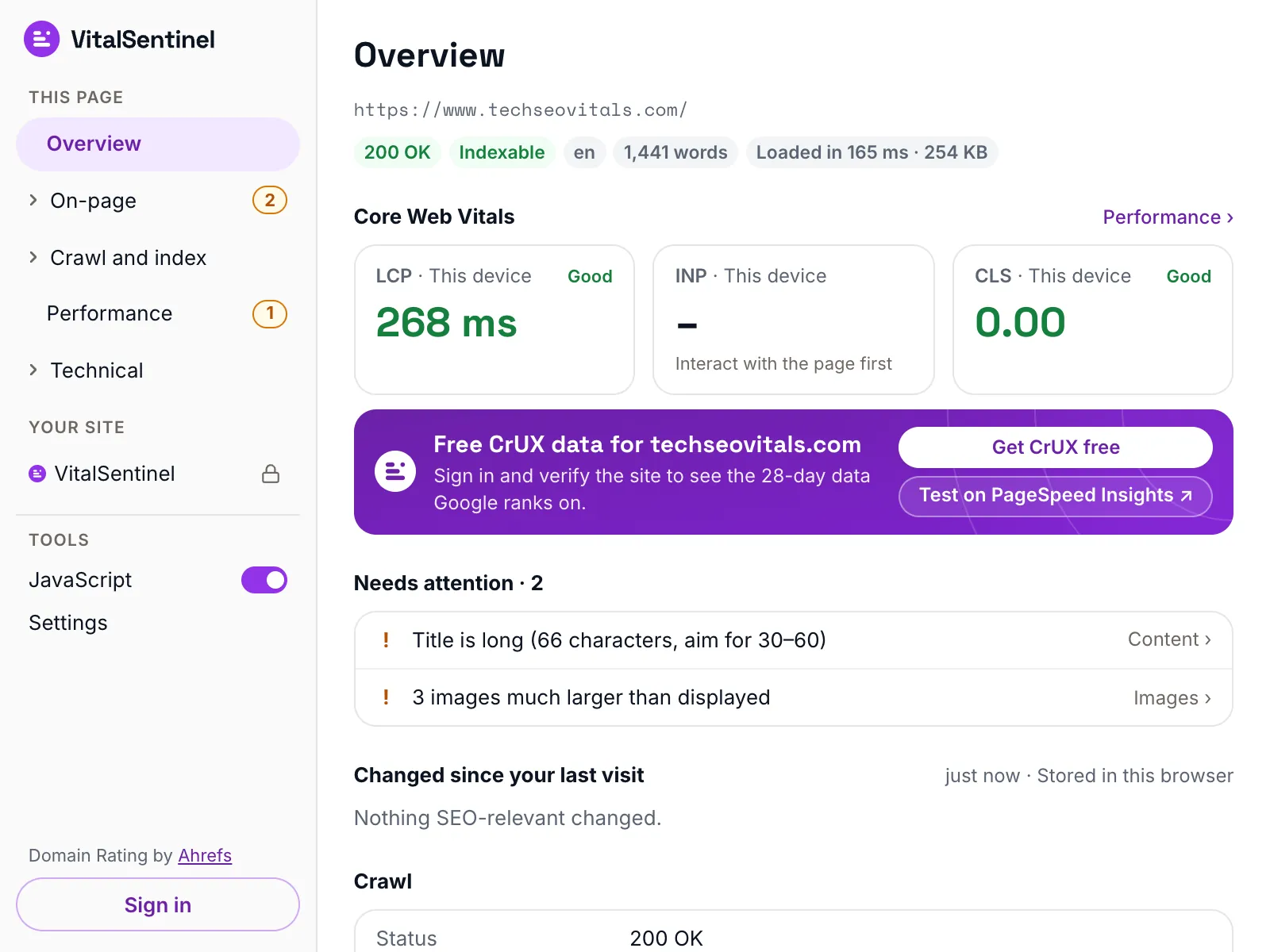
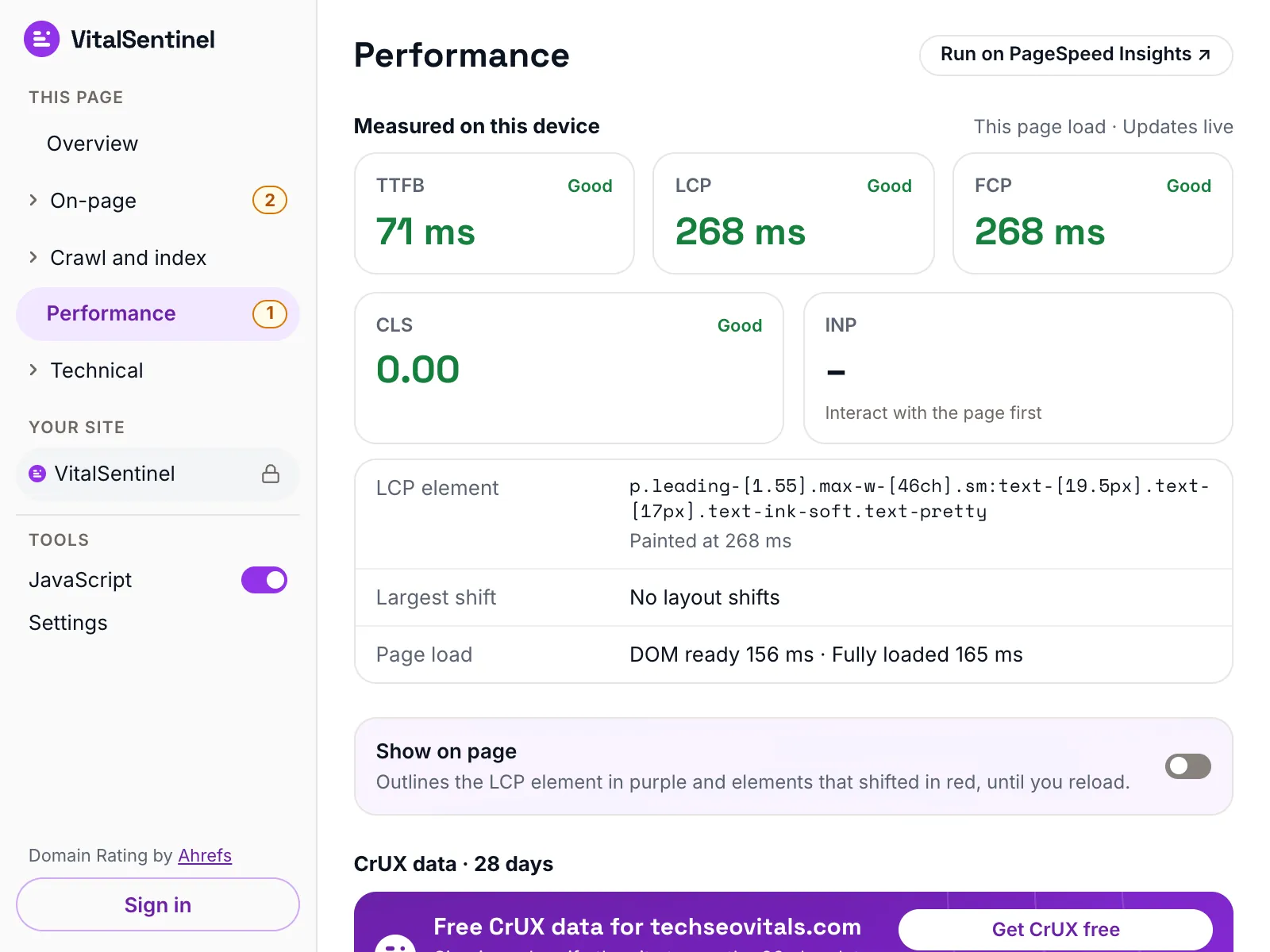
A full page audit, one sidebar away
Open the popup on any page. The sidebar counts the issues in each report, red for errors and amber for warnings, so you know where to look first.
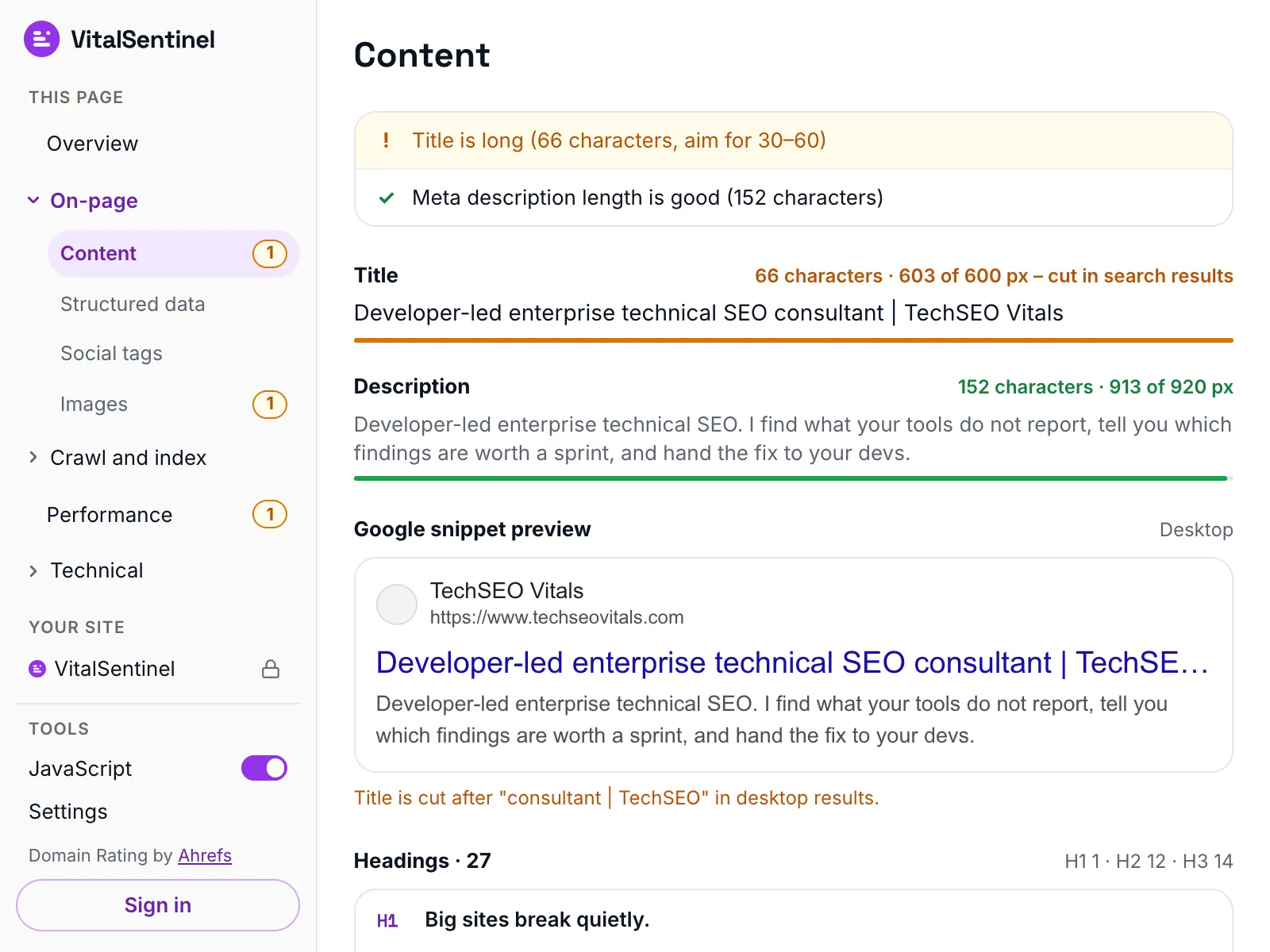
- Status, indexability, title, canonical, H1 and Core Web Vitals at a glance.01 / 05
Built for how search works now
Crawlers read HTML before they render, AI agents often never render at all, and consent decides what your tags may do. The extension checks all three.
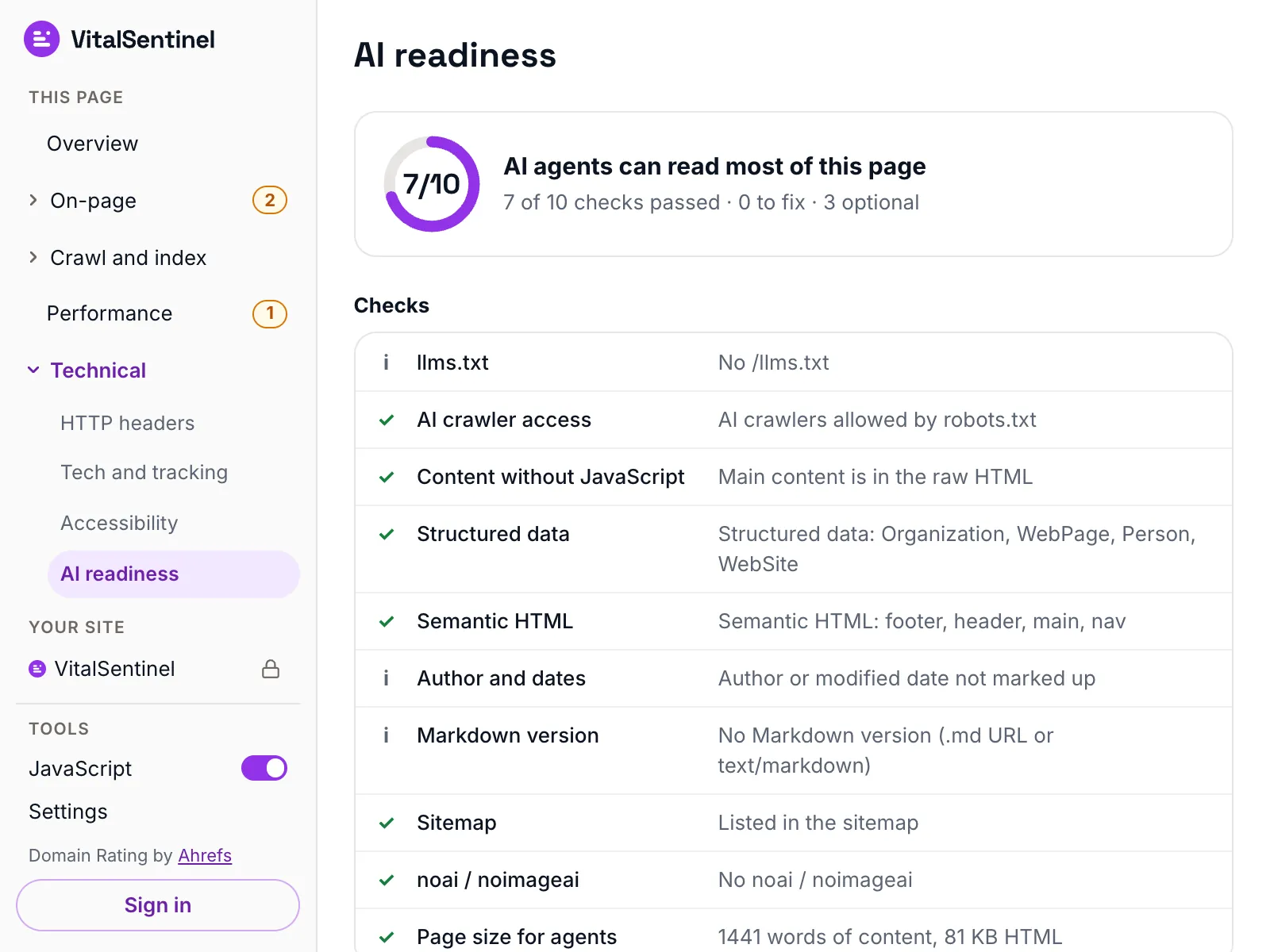
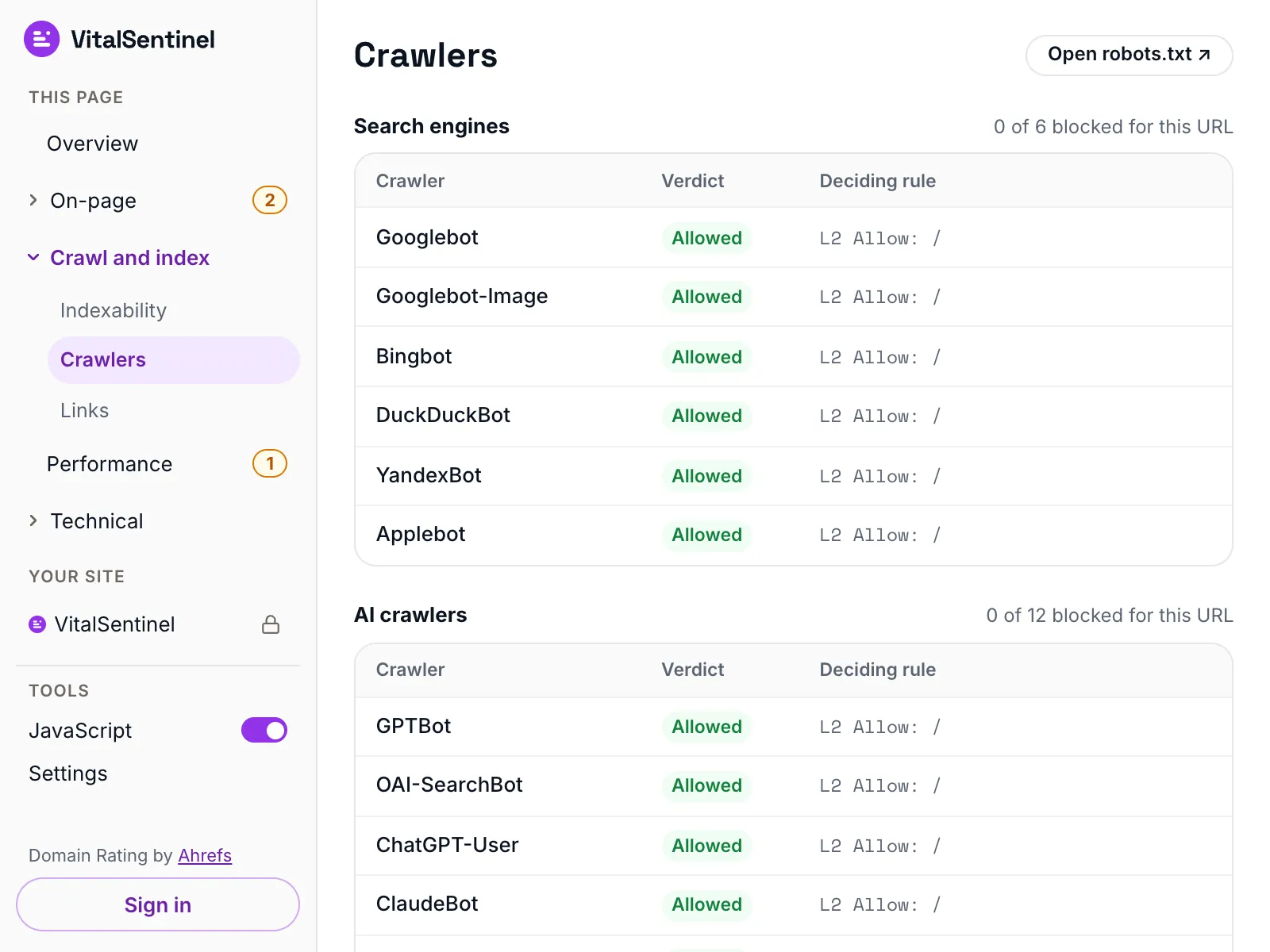
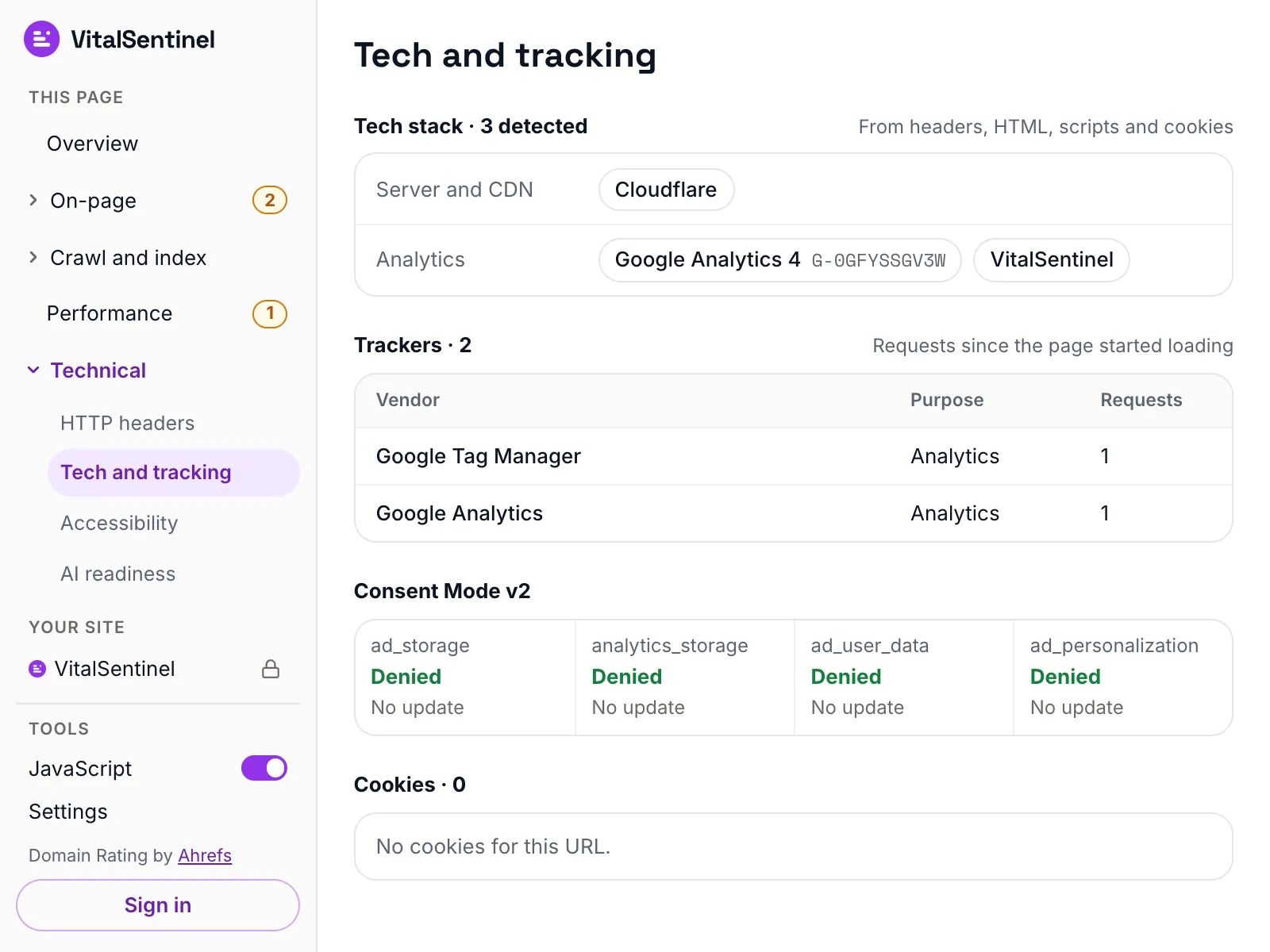
- Compares the server's HTML with the finished page, and says plainly when, say, the H1 only appears after JavaScript.01 / 06
Every check, where the sidebar puts it
The popup's sidebar files its reports under four headings. Pick one to see what it checks and which report shows it.
- Title and description length in pixelsContentContent
- Google snippet previewContentContent
- Heading outlineContentContent
- Rich result eligibility per JSON‑LD itemStructured dataStructured data
- Facebook, LinkedIn and X previewsSocial tagsSocial tags
- Images: alt text, size, lazy loading, format, savingsImagesImages
Your VitalSentinel data, on the page you are reading
Sign in – the Free plan is enough – and every page of a site you monitor shows the last 90 days of what VitalSentinel knows about it.
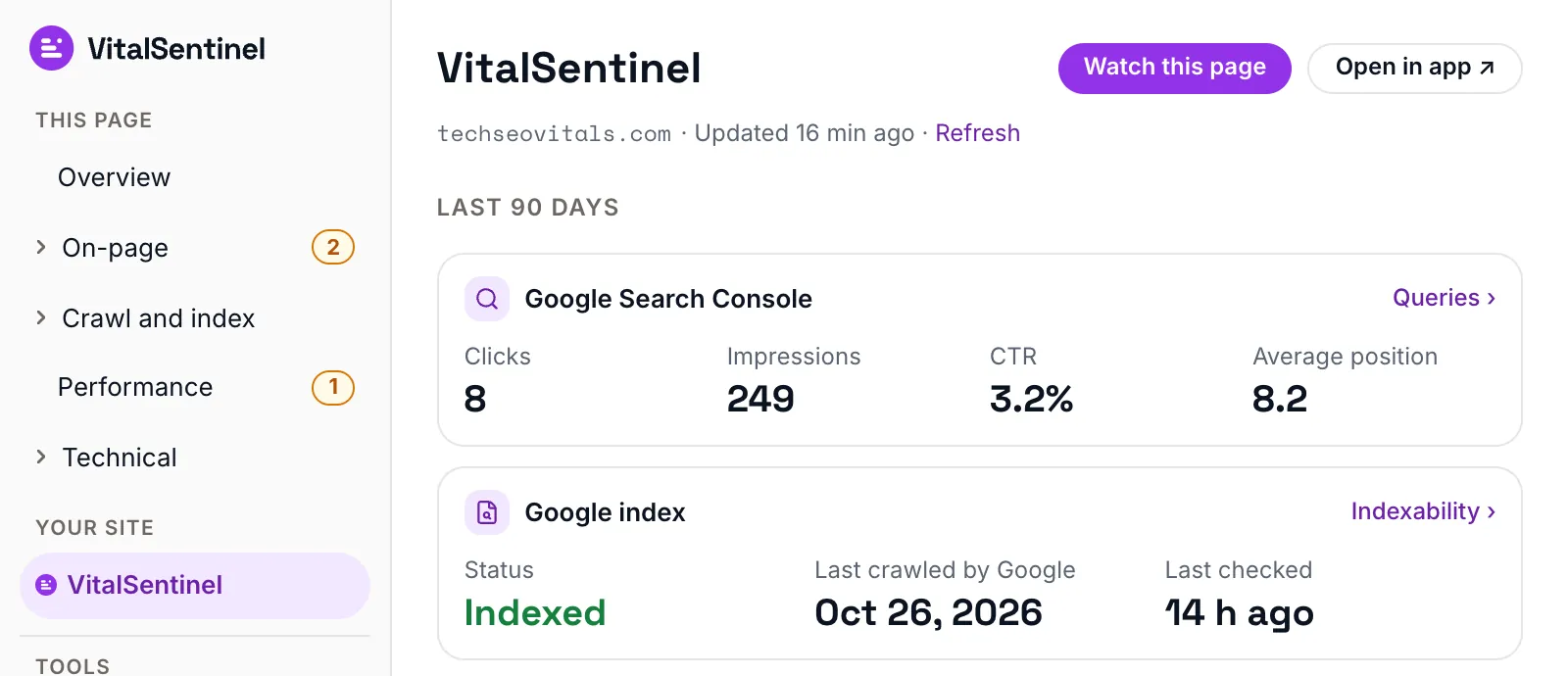
- Watch this pageAdds it to Page Monitoring in one click. For workspace owners and admins.
- Google Search ConsoleClicks, impressions, CTR, position and top queries.
- Google indexStatus, last crawl and the canonical Google picked.
- CrUX field dataNext to the numbers from your device.
- Web AnalyticsPage views, visitors, visits and time per visit.
- Your workspaces, your callYou choose which ones it may read when you sign in.
Your browsing stays in your browser
- Checks run locallyrobots.txt, sitemaps and raw HTML come straight from the site.
- Nothing before you agreeUntil you accept the Terms, nothing is sent or counted.
- Domain only, if at allDomain Rating sends the domain, never the full address, and never from incognito.
- Usage counts off by defaultThey are opt-in. Offline mode stops every request except to the site.
Every permission is explained in the docs and the Privacy Policy.
VitalSentinelOnly what you switch onInstall it in three steps
From the Chrome Web Store to your first report.
Free · Chrome 120+ · No account needed
- 1Add to ChromeClick Add to Chrome on the Chrome Web Store page.
- 2Pin the iconClick the puzzle piece in the toolbar and pin VitalSentinel.
- 3Open it on any pageSet your two privacy switches, click Agree and continue, and read the report.
Questions about the extension
Is the extension really free?
Yes. Every page report works without an account and without paying.
Signing in with a free VitalSentinel account adds your own monitoring data for the sites you watch.
Which browsers does it support?
Google Chrome, version 120 or later.
It checks http and https pages; it cannot check browser pages, the Chrome Web Store or local files.
Does it send my browsing history anywhere?
No. The checks run in your browser and fetch robots.txt, sitemaps and raw HTML straight from the site. Nothing is sent to VitalSentinel until you accept the Terms.
The optional Domain Rating lookup sends only the domain, never the full address, and never for incognito tabs.
Are the Core Web Vitals from real users?
The numbers in the Performance report are measured on your device, for one page load.
Signed in, the extension puts Google’s real-user CrUX data for the page next to them, for the sites you monitor.
How is it different from VitalSentinel itself?
The extension checks one page, when you open it. VitalSentinel watches your whole site all day and alerts you when something changes.
Watch this page in the extension adds a page to Page Monitoring in one click.
More in the extension docs.
Check one page now.
Watch them all with VitalSentinel.
The extension is free forever. When you want to know the moment a page changes, add your site to VitalSentinel – Free plan, no credit card.