
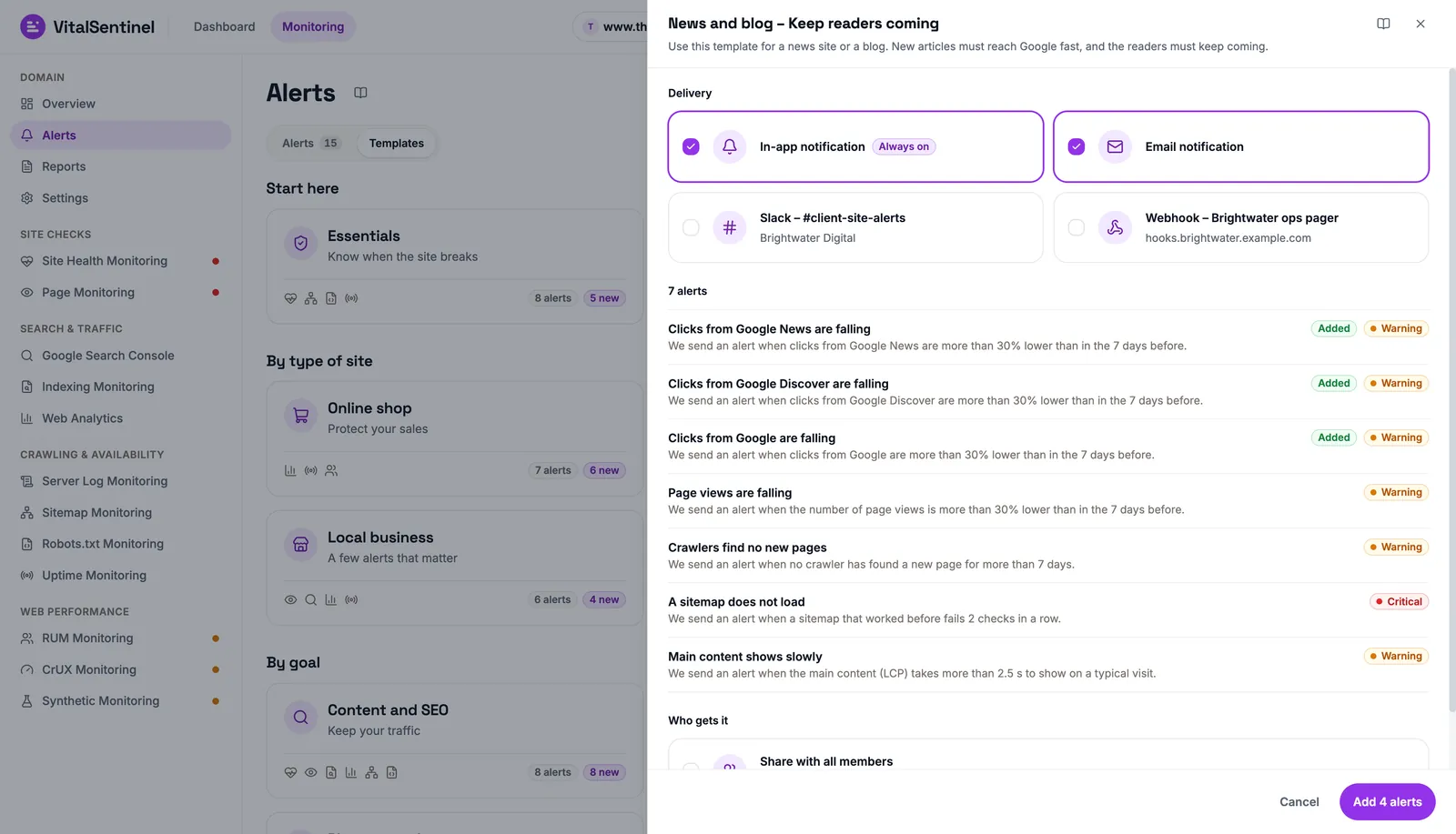
The Slack integration posts your VitalSentinel alerts where your team already talks.
Connect a channel once on your workspace's Integrations page, then select it on any alert rule: when the rule fires, the alert lands in that channel alongside the in-app notification, and a Resolved message follows when the problem clears.
What you get
Channels per alert rule
Every alert rule has its own Delivery choices: the in-app notification is always on, email is optional, and you select the Slack channels it also goes to. Alert templates offer the same choice when you add them.
Resolved messages
When the value an alert watches recovers, the same channel gets a Resolved message, so the channel shows which problems are over, not only which ones started.
One connection per channel
Each Slack channel is a separate connection. Connect one for the SEO team and another for on-call, and send each rule where it belongs.
Know it arrived
Send test posts a test message to a channel, and Recent deliveries lists the last ten attempts for each channel as Sent, Failed, Skipped or Pending.
What a message contains
- The alert's headline, its severity (Critical, Warning or Info), the module and the site
- What happened in one sentence, with the figures and the page affected, when there is one
- When it started, shown in each reader's own time zone
- A button named after the module, such as Open in CrUX Monitoring
- The name of the alert rule that fired
Each message carries its severity color down its left edge, and a Resolved message is marked green. The What to do steps are not posted to Slack; open the alert in VitalSentinel to see them.
Plan availability
- Slack alerts are included on Lite and higher plans. On Free and Starter, the Slack and webhooks option shows locked.
- In-app and email alerts are on every plan, Free included.
How to connect
Workspace owners and admins connect Slack. Then, in VitalSentinel:
No channel connected yet? An alert rule's Delivery choices also show Connect Slack, which starts the same flow in a new tab.
If Slack stops accepting messages for a channel, for example because it was archived or the app was removed from it, the channel shows Needs reconnecting and its alerts are paused until you click Reconnect.
Privacy & security
- VitalSentinel asks Slack only for permission to post to the one channel you pick. It cannot read your messages or other channels.
- Only workspace owners and admins can connect or disconnect a channel.
- Disconnect stops alerts to the channel, removes it from every alert rule, revokes VitalSentinel's access in Slack and deletes the saved connection.
Slack works with the alert rules of every module, from RUM Monitoring and CrUX Monitoring to Indexing Monitoring, Robots.txt Monitoring and Uptime Monitoring.
Compare plans on the pricing page, and see the Slack and webhooks guide for every setup detail.
Slack
- Category
- Alerts
- Setup time
- 2 minutes
- Plans
- Lite and higher plans
- Alerts in the channels you pick
- Channels chosen per alert rule
- Resolved message when it clears
- Send test and recent deliveries
- On Lite and higher plans
- One-click disconnect
