
Indexability checker
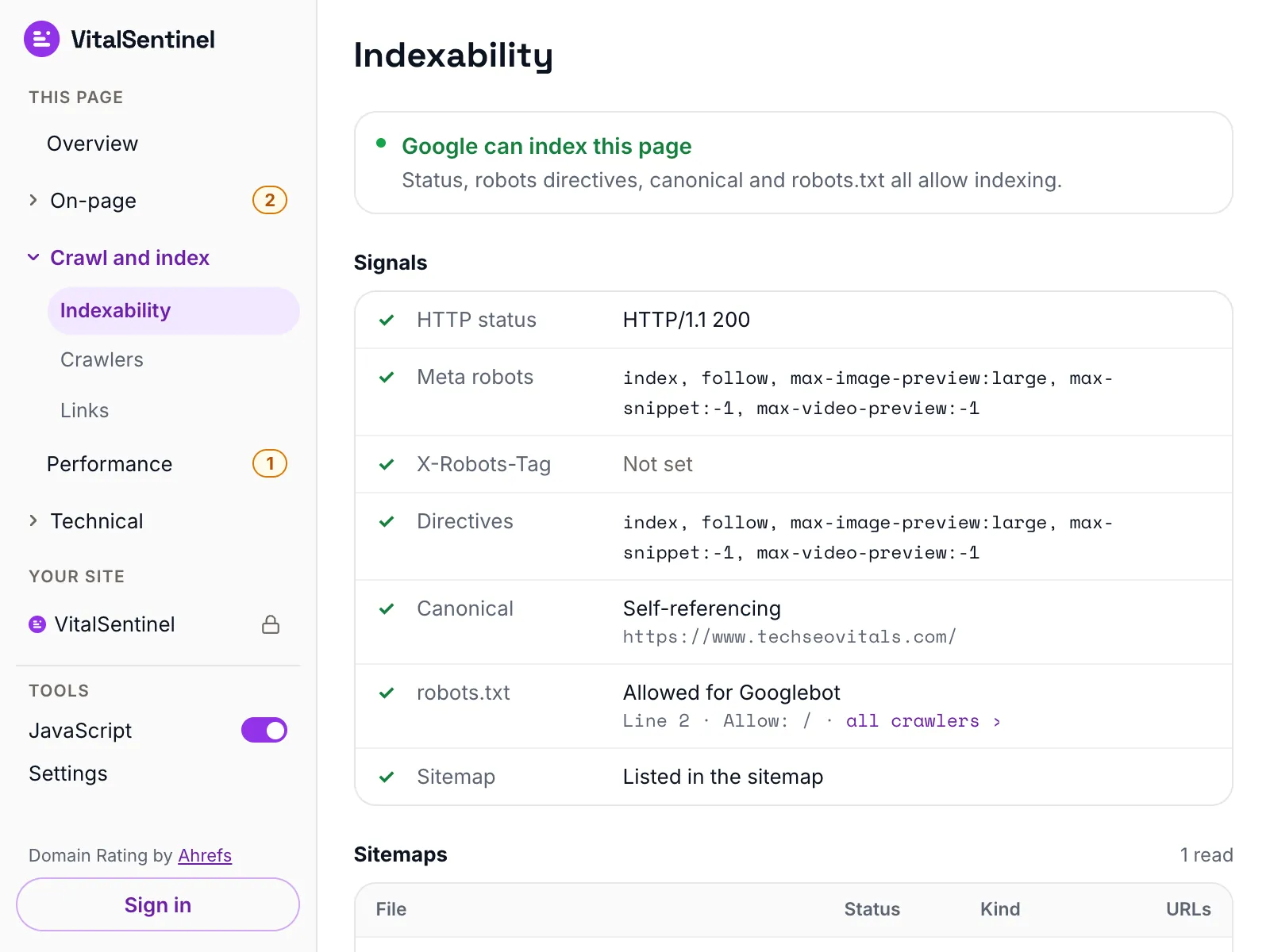
Can Google index this page, or is something quietly keeping it out of search? Our free indexability checker answers that in seconds and names the one tag, header or rule that decides it.
This tool checks once.Indexing Monitoring keeps checking.
It checks on a schedule and alerts you the moment the result changes, so you never have to remember to run this again. Ask Theo, the AI assistant in the app, and it explains any finding in plain words.
The same check on every page you visit
In the free VitalSentinel SEO Extension for Chrome, one click shows one indexability verdict, with the line that decides it, for the page you have open.
- Free
- No account needed
- One click
What it checks
- Grades the status code after following redirects, then tests robots.txt for Googlebot against the URL it lands on, the way Google reads it
- Reads the meta robots and meta googlebot tags and the X-Robots-Tag header, including rules aimed at one crawler in particular
- Sorts the canonical tag into self, near-self, another URL on the same site or another site entirely, and flags a page that declares more than one
- Flags the trap that keeps a URL listed indefinitely: a page blocked in robots.txt that also carries noindex, so Google never gets to read the noindex
What it does not
- It reads the HTML your server sends. A meta robots tag or canonical added by JavaScript is invisible to it
- It cannot tell you whether the URL is already in Google. The URL Inspection tool in Google Search Console is the only thing that can
- It does not spot soft 404s. A page that returns 200 with nothing on it still looks indexable here
- It reads robots.txt only from the site you entered, and only for Googlebot. If that URL redirects to another site, the rules there are not checked
Questions
Why is my page not in Google when this says it is indexable?
Indexable means eligible, not included. Google still decides whether a page is worth indexing.
The most common blind spot is JavaScript: this reads the HTML your server sends, so a noindex or canonical added after the page loads is invisible here. Soft 404s are another one, where a page returns 200 while telling the visitor nothing was found.
The URL Inspection tool in Google Search Console tells you what Google actually did. If a canonical is the problem, this tool says so on its own: the verdict reads canonicalized rather than indexable.
Should I block a page in robots.txt and add noindex to it?
No, they cancel each other out. Google cannot read a noindex on a URL it may not fetch, so a blocked page that others link to can stay listed indefinitely.
Allow crawling and leave the noindex in place. Only block the URL later if nothing links to it, or it can reappear as a bare listing.
Which wins when meta robots and X-Robots-Tag disagree?
The more restrictive one wins. Google combines every robots rule addressed to it, from both the HTML and the headers, and applies the strictest result. A noindex in the headers is not undone by an index tag in the HTML.
Does a canonical pointing at another URL stop a page from being indexed?
Not directly. It asks Google to index the other URL and consolidate ranking signals there. Google treats that as a strong hint rather than an instruction, and can still pick a different canonical, which Google Search Console will tell you.
The page stays crawlable either way, but where the hint is taken it will not appear in results as itself.
More free tools
Fair use, and how to recognize us
5 per minute · 25 per hour · 100 per day per IP (per /64 for IPv6), plus a per-site limit
Every request these tools make sends this user agent, including the ones that load a page in a real browser. What a run records is set out in our privacy policy.
Mozilla/5.0 (compatible; VitalSentinel Free Tools Bot/1.0; +https://www.vitalsentinel.com/bot)
Stop checking by hand
Core Web Vitals from real users, indexing and robots.txt, uptime and SSL, monitored continuously. Start on the Free plan and add your first domain in under a minute.