
When a key form breaks, the leads stop
A sudden error can stop a key form bringing in leads while your site looks fine. Form Monitoring tells you when submissions drop or stop.
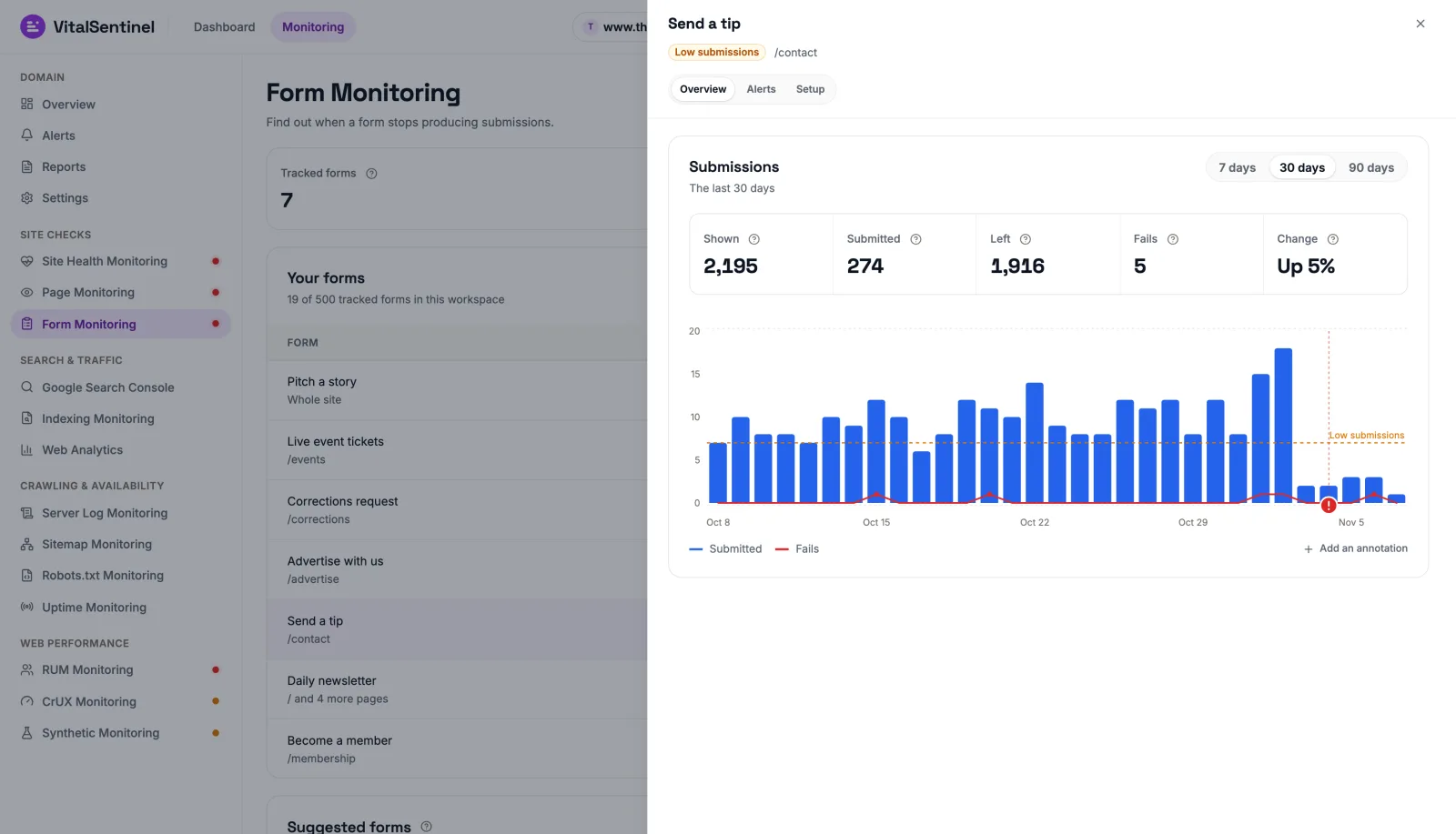
Your key form has an error. The site looks fine, traffic still arrives and nothing comes through.
A form can stop working suddenly, and nothing looks wrong from the outside. You find out when the leads are already lost.
A plugin update stops a form from submitting
A redesign breaks a form on a page that still looks fine
A spam filter change starts rejecting real visitors
The page loads, so every uptime check stays green
Visitors keep arriving, but the leads stop coming through
The first sign is a quiet inbox, when the leads are already lost
Every form, and what it brings in
Your forms shows the status of each one, and any row opens its numbers, alerts and setup.
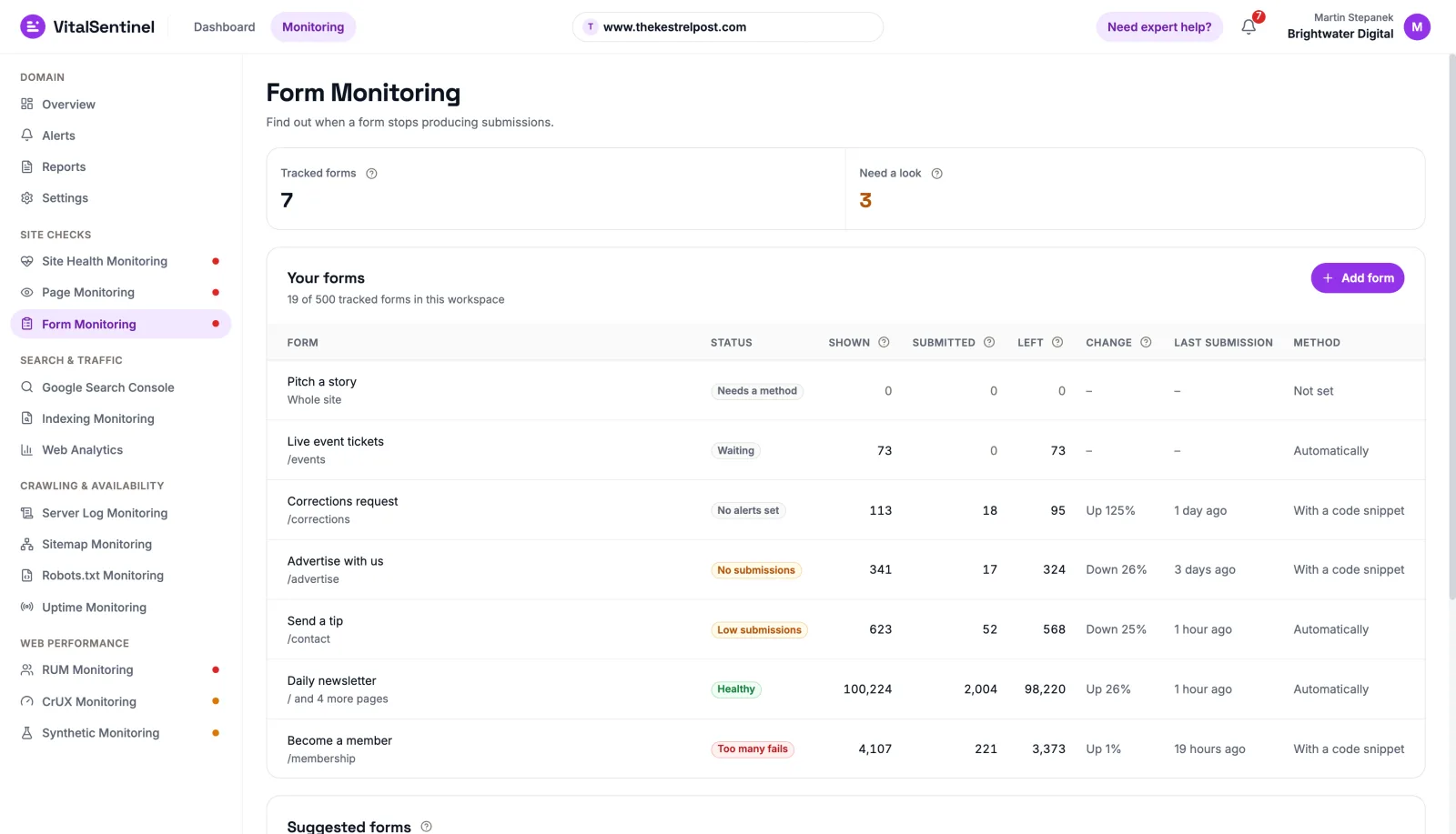
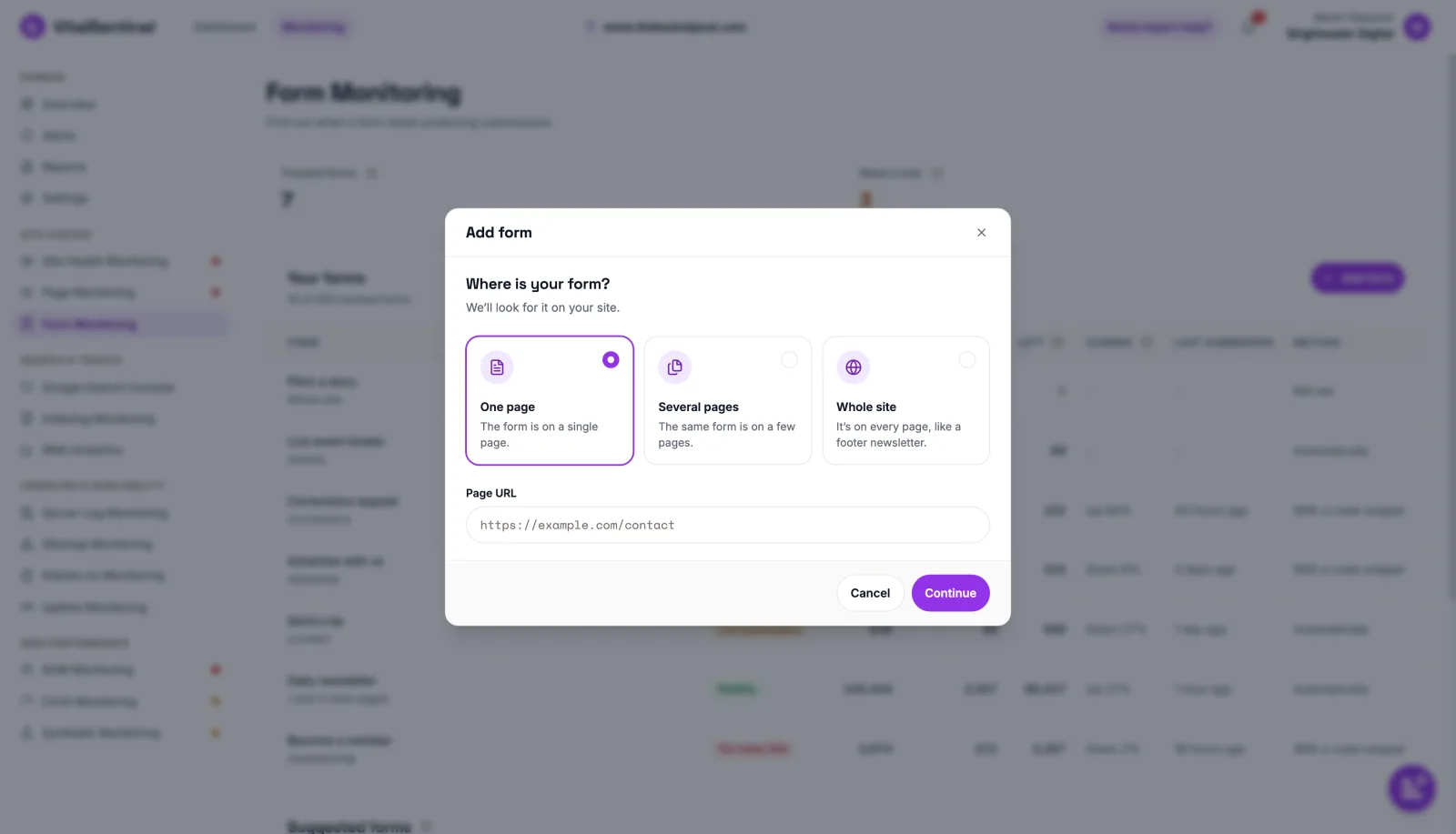
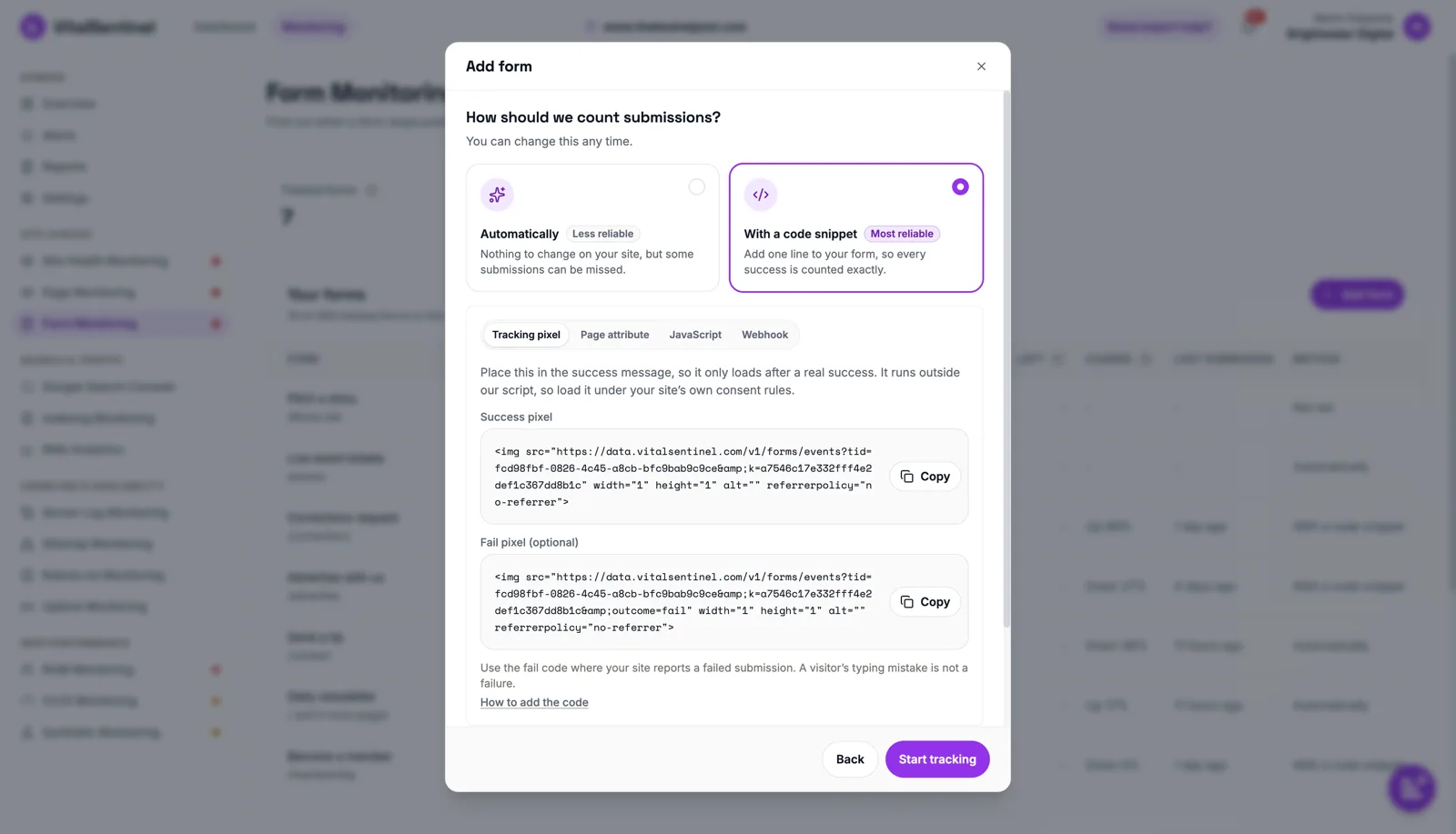
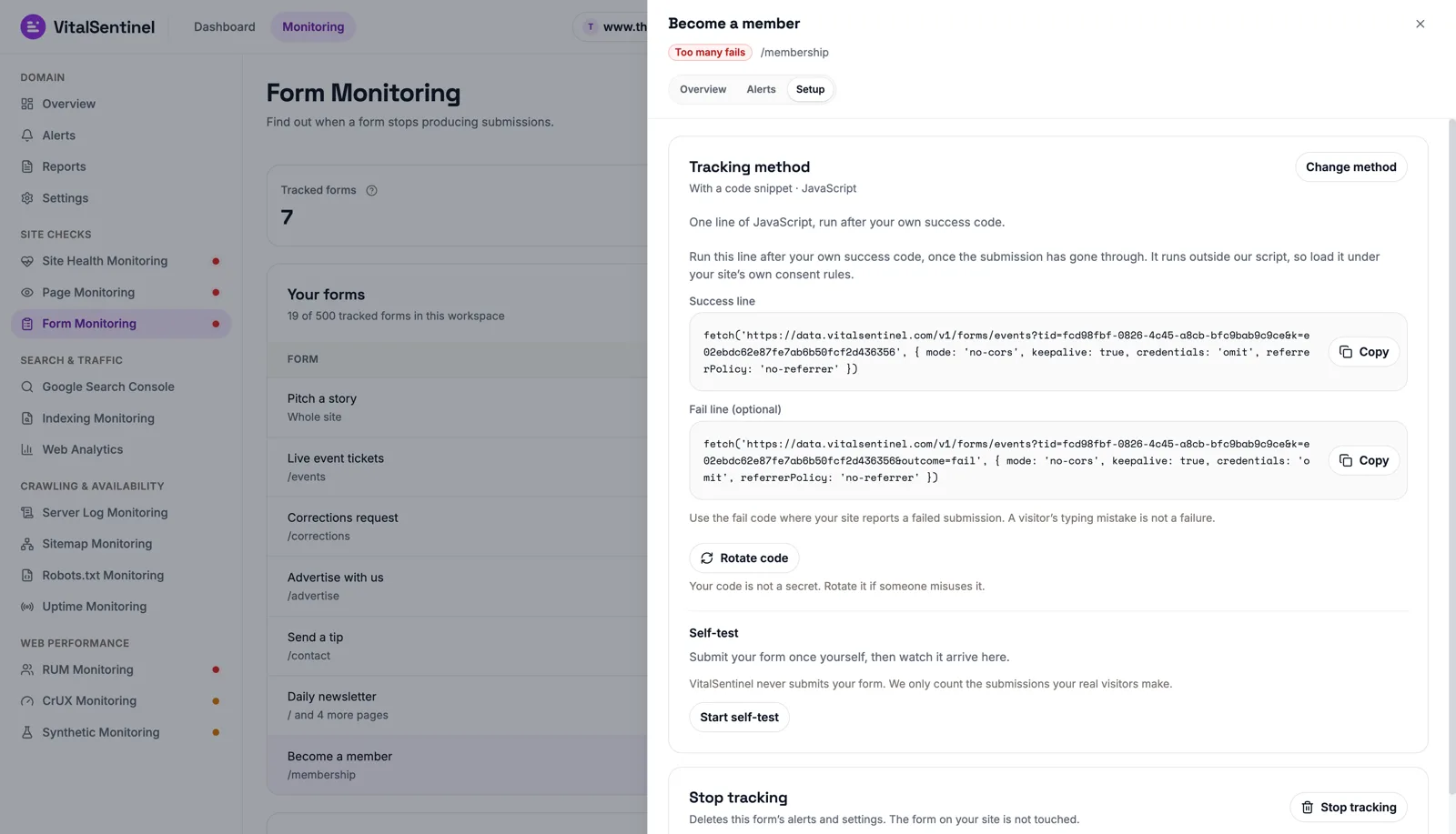
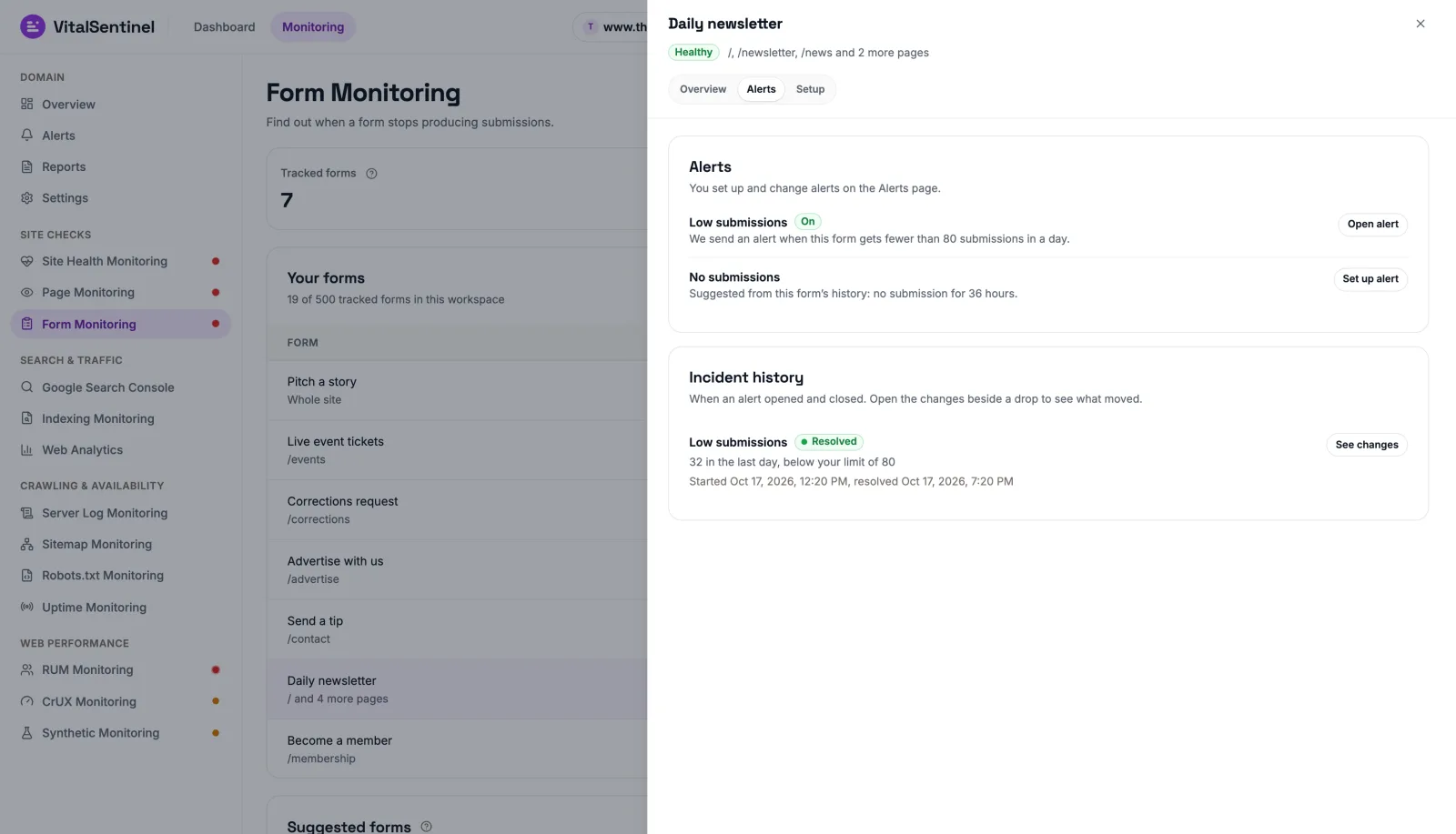
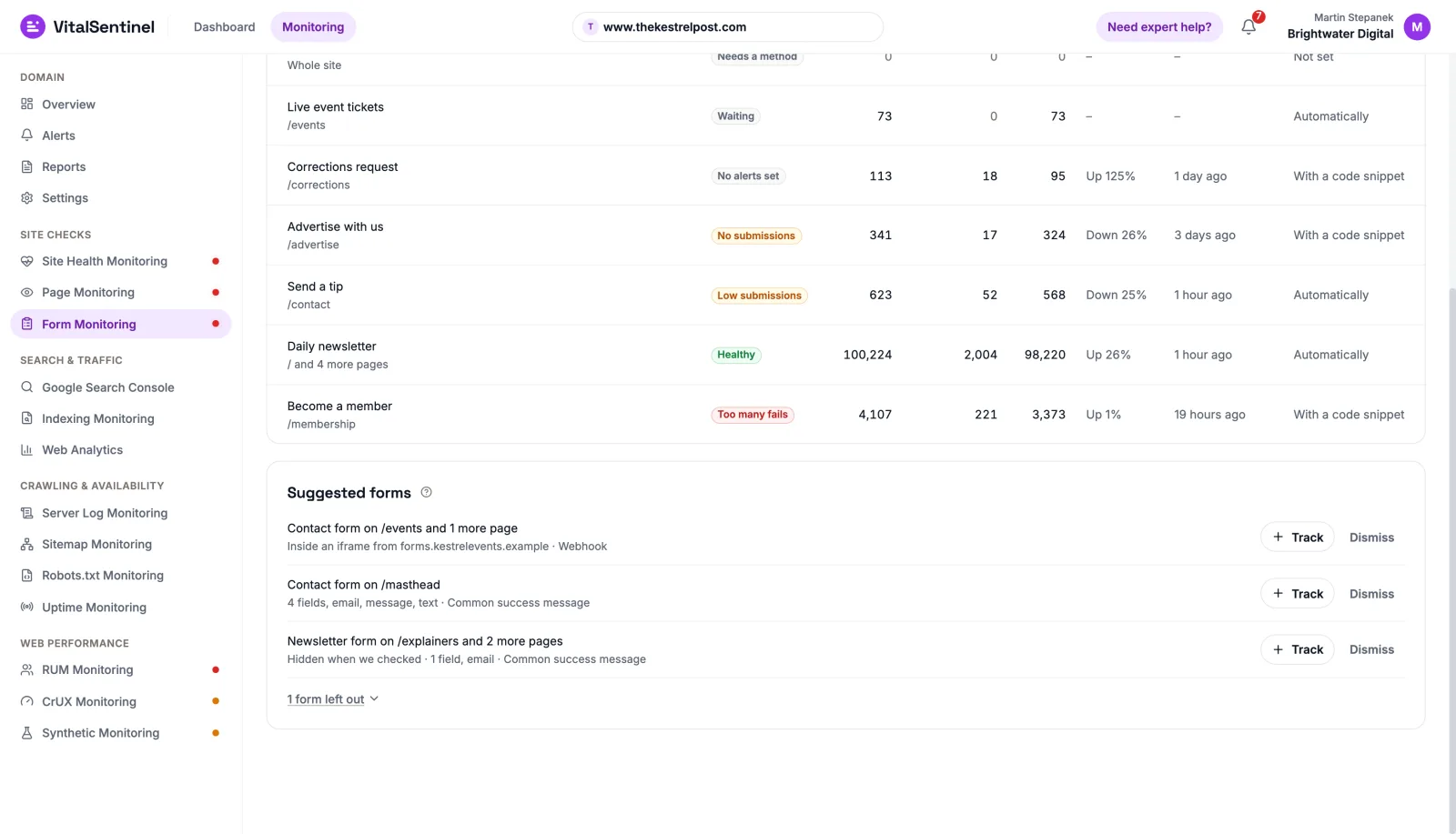
- Your forms lists every form with its status, what it brought in over the last 7 days and the change.01 / 07
A few plain numbers for every form
Shown means the form came on screen for a real visitor. Submitted means a successful submission. What matters is if and how much submissions dropped.
- Submitted for every form, Shown and Left where our script sees the form, and Fails where the form reports them
- 7 days, 30 days or 90 days, as your plan's history allows, against the period before
- A status on every form, such as Healthy, Low submissions or No submissions
- No funnels, no field analytics, no session replay
- Form events never carry field values or message text
Count automatically, or add one line
Automatically needs no site change, but it can't work everywhere: a plain form that reloads the page with a generic message isn't counted. A code snippet is the most reliable way to count, and the docs show where it goes.
- Code snippets: Tracking pixel, Page attribute, JavaScript or Webhook
- Automatically and the Page attribute count through Form Monitoring's own tag, forms.js, with or without Web Analytics
- A form embedded from another site: a code snippet or the platform's own signal, not the Page attribute
- A form that redirects: usually the Webhook from your backend or form tool, or the JavaScript line where your site's own code sends the form
- Change the method any time and the form keeps its history
VitalSentinel never submits your form. We only count the submissions your real visitors make.
Up to three simple alerts for each form
Alerts never turn on by themselves. Set them up on the Alerts page. After 14 days of data, Low submissions and No submissions come with suggested values, and you confirm them.
- Low submissions: fewer than your limit in an hour, a day or a week
- No submissions: nothing for the number of hours you choose
- Too many fails, on forms that report fails: the site rejected more valid submissions than your limit in a period
- Each alert fires once, stays open until the form is back within its limit, then sends a recovery notice
- A rule waits for the first submission plus one full period, so a form with no submission yet stays quiet, whatever its traffic
- In the app and by email, plus Slack and webhooks from Lite up
Your forms, found for you
Forms found on your pages appear as Suggested forms, on every plan. E-shop, login, search and other utility forms are left out under one line, so the list stays short.
- Track a suggestion, or add a form yourself on one page, several pages or the whole site
- We never submit the forms we find
On every plan, Free included
Tracked forms are counted per workspace. One form uses one slot, however many pages it covers.
- Form events never count toward your plan's quotas, and tracking continues when you reach them
- Over the limit after a downgrade, forms are paused until there is room
- History is kept 14 days on Free, 90 days on Starter and 12 months from Lite up
- Public API and MCP tools are included
From a form to an alert in three steps
- Done
Add a form
With your domain verified, say where it is: one page, several pages or the whole site. A site-wide form, such as a footer newsletter, is one form.
- Done
Choose how to count
Automatically, or with a code snippet. Then run the self-test: submit your form once yourself and watch it arrive. VitalSentinel never submits your form.
- Done
Set an alert when there is data
Suggested values appear after 14 days of data. Nothing fires until you set a value on the Alerts page.
Form Monitoring reads the other modules
It puts other modules' figures next to its own, so you see the whole picture without opening a second tool.
- Forms our crawler finds on your pages are suggested for tracking.Suggested formsSee Site Health MonitoringForm Monitoring01 / 03
Every module included. You only choose your coverage
Start free, and upgrade only when you need wider coverage.
Starter
Billed monthly
For small businesses and personal projects
- domains
- 3
- change history
- 90 days
- Synthetic URLs, every 24 h
- 10
- RUM page views / mo
- 100K
- analytics events / mo
- 500K
- CrUX URLs
- 10
- watched pages
- 10
- tracked forms
- 5
- server log hits a month
- 1M
Lite
Billed monthly
For consultants and growing businesses
- domains
- 5
- change history
- 12 months
- Synthetic URLs, every 24 h
- 25
- RUM page views / mo
- 250K
- analytics events / mo
- 5M
- CrUX URLs
- 100
- watched pages
- 100
- tracked forms
- 25
- server log hits a month
- 10M
Standard
Billed monthly
For agencies managing multiple clients
- domains
- 25
- change history
- 12 months
- Synthetic URLs, every 12 h
- 75
- RUM page views / mo
- 2M
- analytics events / mo
- 25M
- CrUX URLs
- 1,000
- watched pages
- 500
- tracked forms
- 150
- server log hits a month
- 50M
Prices exclude VAT. VAT is added at checkout where it applies, and consumers see the full price before paying.

Know the day a form goes quiet
Add your domain on the Free plan, track your first form and get an alert when submissions drop.