
TTFB test: time to first byte checker
How long does your server take to start answering? This free TTFB test requests your page 3 times and splits each wait into DNS lookup, connection, TLS handshake and server wait, so you see which step is slow. You get the median, a grade and whether a CDN served it from cache.
This tool checks once. Uptime Monitoring keeps checking.
It checks on a schedule and alerts you when the result changes. Ask Theo, the AI assistant in the app, to explain any finding.
The same check on every page you visit
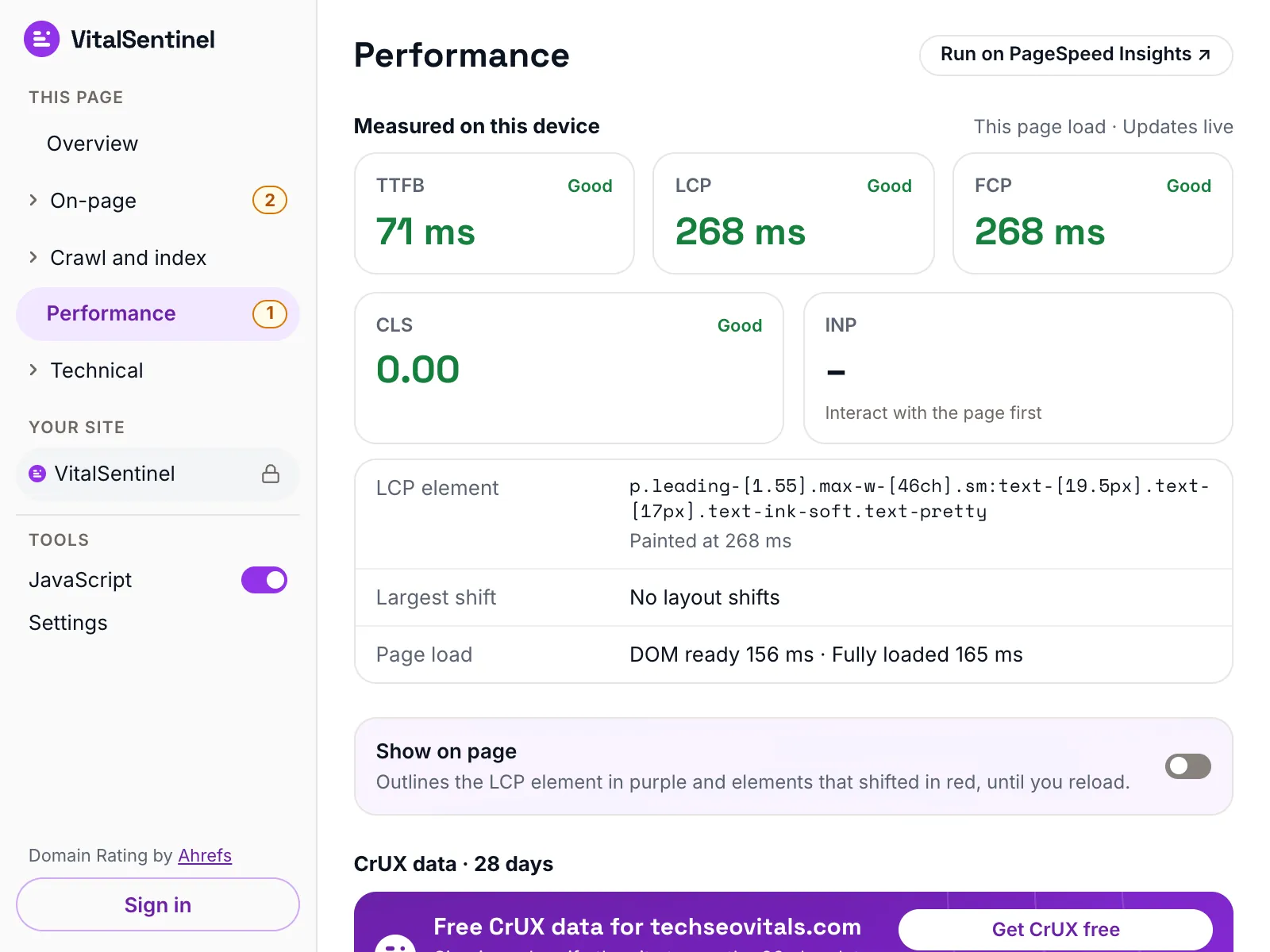
In the free VitalSentinel SEO Extension for Chrome, one click shows TTFB, LCP, INP and CLS measured on your own device for the page you have open.
- Free
- No account needed
- One click
Two sets of lines
Google calls a TTFB of 800 ms or less good for real visitors, on every network and device. One request from a data center should do far better, so I grade this test on stricter lines of my own: 250 ms or less is good, over 500 ms needs fixing. VitalSentinel itself grades TTFB on Google's lines.
| TTFB | This test | |
|---|---|---|
| 250 ms or less | Good | Good |
| 251 to 500 ms | Needs work | Good |
| 501 to 800 ms | Fix it | Good |
| 801 to 1800 ms | Fix it | Needs improvement |
| Over 1800 ms | Fix it | Poor |
This test requests as my own bot, not as Googlebot, so it cannot show what Google's crawler gets. Server Log Monitoring reads that from your access logs, verified Googlebot included.
What it checks
- Requests the URL 3 times over a new connection each time, and reports the median
- Splits each request into DNS lookup, Connection (TCP), Secure handshake (TLS) and Server wait, the same four steps Uptime Monitoring shows
- Reads the cache headers (cf-cache-status, x-cache, x-vercel-cache, Cache-Status, Age) to tell whether a CDN answered from cache
- Grades the median on my lines (250 ms good, over 500 ms fix it) and shows where it falls against Google's 800 ms line
What it does not
- It runs from one Cloudflare data center. Visitors far from it, or on mobile networks, wait longer
- It requests as my own bot, not as Googlebot, so it does not show what Google gets from a site that treats bots differently
- For a site behind Cloudflare it can only time the total, because Cloudflare blocks raw connections to its own network
- It times the URL you enter and does not follow redirects. Test the final URL for the page visitors land on
Questions
What is a good TTFB?
Google calls 800 ms or less good and over 1800 ms poor, measured at real visitors. From a data center, one request should come back far faster: I call 250 ms or less good and over 500 ms something to fix.
Why is my TTFB slow?
Look at which step is biggest.
- Server wait: the page is built on every request. Cache it, or speed up the database and code behind it.
- TLS handshake: usually distance to the server or an older TLS setup. A CDN moves the handshake closer.
- DNS lookup: a slow DNS provider. Move to a faster one.
- Connection: the server is far from the visitor. A CDN helps here too.
What TTFB does Googlebot get?
This test cannot say: it requests as my own bot from Cloudflare's network, not as Googlebot from Google's. Your access logs can. When they record response times, Server Log Monitoring shows the response time and status mix each bot got, real Googlebot included, checked against Google's published IP ranges.
Does a CDN cache hit make my TTFB look better than it is?
Yes. A cached answer never reaches your server, so it shows the fastest case. Visitors who miss the cache, and pages that cannot be cached, get the server wait. I show which requests were cache hits so you can tell them apart.
More free tools
Fair use, and how to recognize us
5 per minute · 25 per hour · 100 per day per IP (per /64 for IPv6), plus a per-site limit
Every request these tools make sends this user agent, including the ones that load a page in a real browser. What a run records is set out in our privacy policy.
Mozilla/5.0 (compatible; VitalSentinel Free Tools Bot/1.0; +https://www.vitalsentinel.com/bot)
Stop checking by hand
Core Web Vitals from real users, indexing and robots.txt, uptime and SSL, monitored continuously. Start on the Free plan and add your first domain in under a minute.