


Search for 502 Bad Gateway and read the top results. Almost all of them talk to a visitor. Refresh the page. Clear your cache. Try again later.
If you run the site, your question is different. What did Googlebot see, and what did it do next?
Google's documentation covers part of it. A 502 is a server error, and Googlebot slows down on it. It keeps your indexed pages for a while. If the errors persist, it eventually drops them. Google won't put a number on "a while".
What the docs can't show is your own data. A monitor checks one URL and sees a 200. Googlebot requests thousands and can get 502s on a slice of them. Your access log shows that gap, and one grep finds it.
A short 502 costs you crawl rate. A long one costs you pages. Neither announces itself.
A 502 means the gateway got a bad answer
MDN defines a 502 (opens in a new tab) as the gateway receiving an invalid response from the upstream server. The gateway is your CDN, load balancer or reverse proxy. The upstream is your origin.
MDN draws two lines. If the origin sends a valid error, the gateway should pass it on instead of returning a 502. If there's no response at all, that should be a 504.
In practice the origin crashed, restarted, refused the connection or sent garbage. The PHP workers ran out. A deploy swapped the app while the proxy was still routing to it.
A branded error page points at the origin
Before you debug anything, find out who generated the error. Cloudflare's documentation says: "If the error page is Cloudflare-branded, the 502 or 504 came from your origin web server." A blank page with no branding means Cloudflare generated it. Both rules are on its 502 and 504 troubleshooting page (opens in a new tab).
That splits the work in two. Branded, you go to your origin logs. Blank, you go to your CDN configuration and its status page.
You can check from a terminal. Run this against a URL that failed, from outside your own network.
curl -sI https://www.example.com/some-page
The first line is the status. The headers below it show which layer answered.
Googlebot slows down instead of leaving
Google's page on HTTP status codes and network errors (opens in a new tab) groups 500, 502 and 503 together. Its wording:
5xx and 429 server errors prompt Google's crawlers to temporarily slow down with crawling.
The slowdown is proportional to the number of URLs returning errors. A 502 on one URL barely registers. A 502 on all your dynamic URLs is a sitewide slowdown.
During the Cloudflare outage in November 2025, John Mueller said on Bluesky (opens in a new tab): "5xx = Google crawling slows down, but it'll ramp back up." That outage lasted hours, by Cloudflare's own postmortem (opens in a new tab).
The return is gradual too. Google says the crawl rate ramps back up slowly after 2xx responses return. A low crawl graph after recovery isn't a second outage.
A 502 on robots.txt hits the whole site
Google's robots.txt specification (opens in a new tab) has its own rule for server errors on the file. For the first 12 hours, Google stops crawling the site. It keeps retrying robots.txt.
After that, the same specification says Google uses the last good copy for 30 days.
That's why robots.txt is the first URL I test after any outage. If the 502s only hit page templates, Google slows down. If they hit robots.txt, Google stops.
Google gives no number for how long it tolerates it
Google doesn't publish a threshold. Its wording shifts from document to document. The status codes page says URLs that persistently return errors are preserved in the index, but eventually dropped. Mueller said (opens in a new tab) things may start to drop out if errors persist for multiple days.
The troubleshooting page (opens in a new tab), in its emergency overcrawl section, says serving 503 or 429 for more than 2 days will cause Google to drop those URLs from the index.
None of those is a promise. The only number Google has written down is 2 days. It's for 503 and 429, not 502.
If Googlebot met errors for more than an hour, check your logs to see how much of the site it hit. Anything past a day is an emergency. I'd never plan to get near 2 days.
Uptime checks miss the 502s Googlebot sees
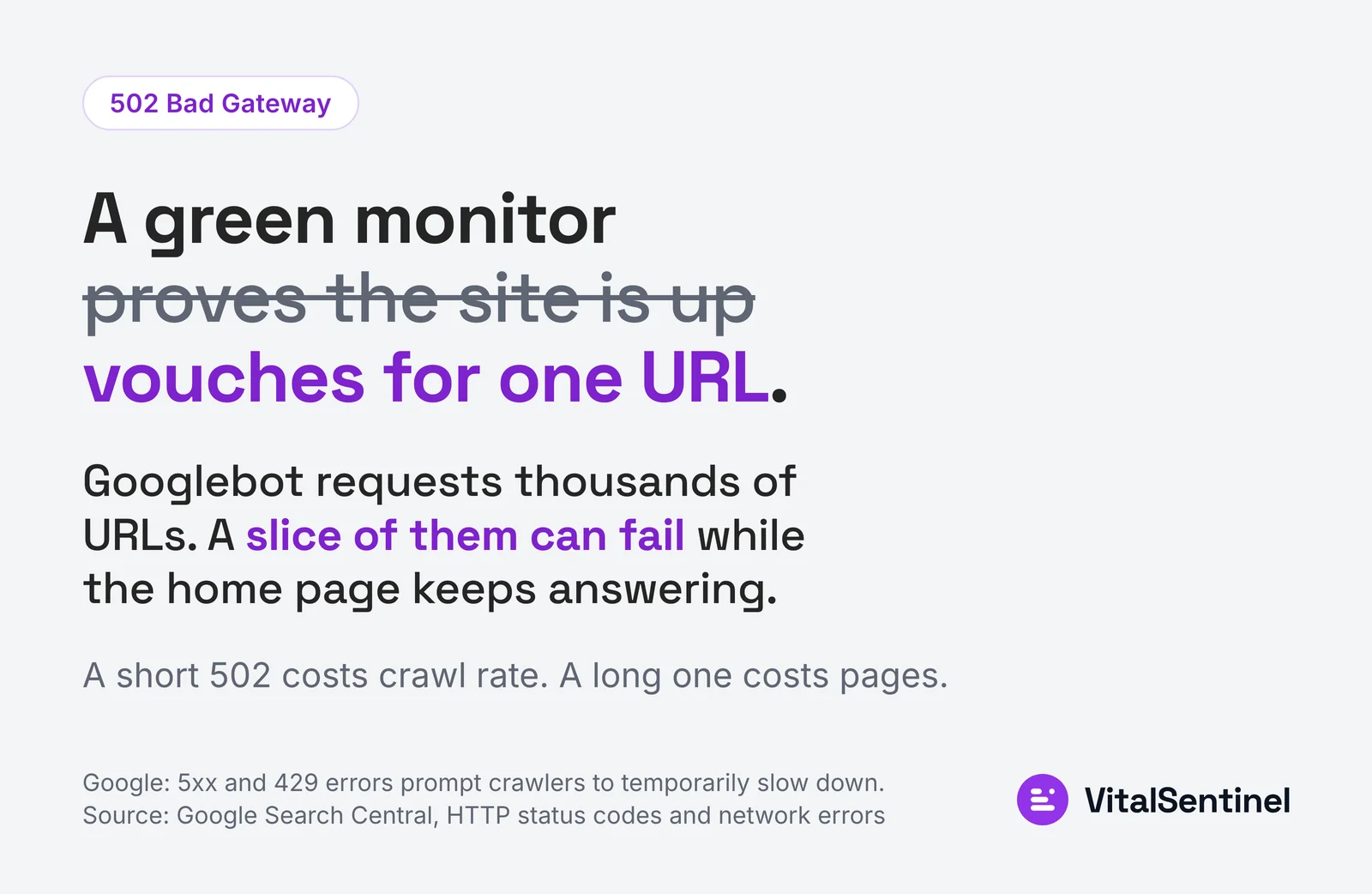 A monitor that checks one URL can stay green while a slice of the site returns errors to Googlebot.
A 502 is often intermittent or limited to one upstream. One app pool dies, or one route fails into a bad response. The home page, usually the monitored URL, keeps answering. The site is up. A slice of it is broken.
Read both sides together: the monitor's checks, and the hours where Google met errors while the checks saw the site up. In VitalSentinel, that comparison is one list.
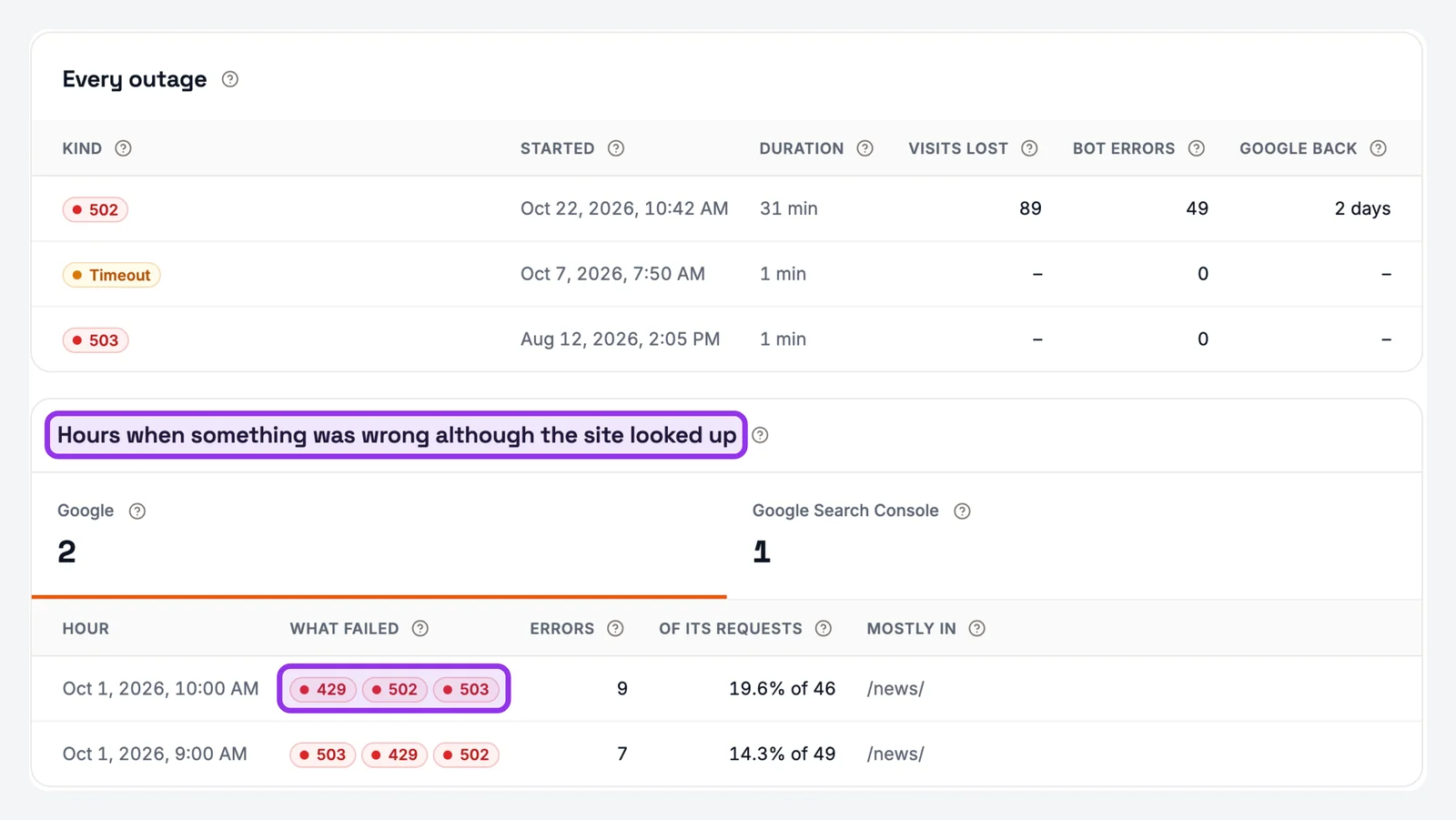 Demo workspace: the 'Hours when something was wrong although the site looked up' list shows Google meeting 429, 502 and 503 errors.
Without a tool, compare two numbers for the same day. One is your uptime check results. The other is the count of Googlebot 5xx lines in your access log. Errors in the log and none in the monitor mean the monitor is watching the wrong URL.
Find Googlebot's 502s in the access log
Get the last 30 days of access logs and drop them into the free log file analyzer. It lists every bot in the file, flags the fakes and shows the crawl errors Googlebot got.
The error log holds the cause. On nginx, a refused upstream leaves this line: connect() failed (111: Connection refused) while connecting to upstream. The access log says what Googlebot got. The error log says why.
Count only verified Googlebot. For a single address, the free Googlebot IP checker settles it. Fake Googlebot: What 100 Sites Return to It shows what the fakes return.
Don't filter for 502 alone. A real outage rarely returns one code. Expect 502, 503 and 504 mixed together. You'll also see 499s, where the crawler closed the connection before the answer came. Count all of them.
Split the counts by bot and by hour, and the outage window stands out. In Server Log Monitoring, one hour splits across four error codes.
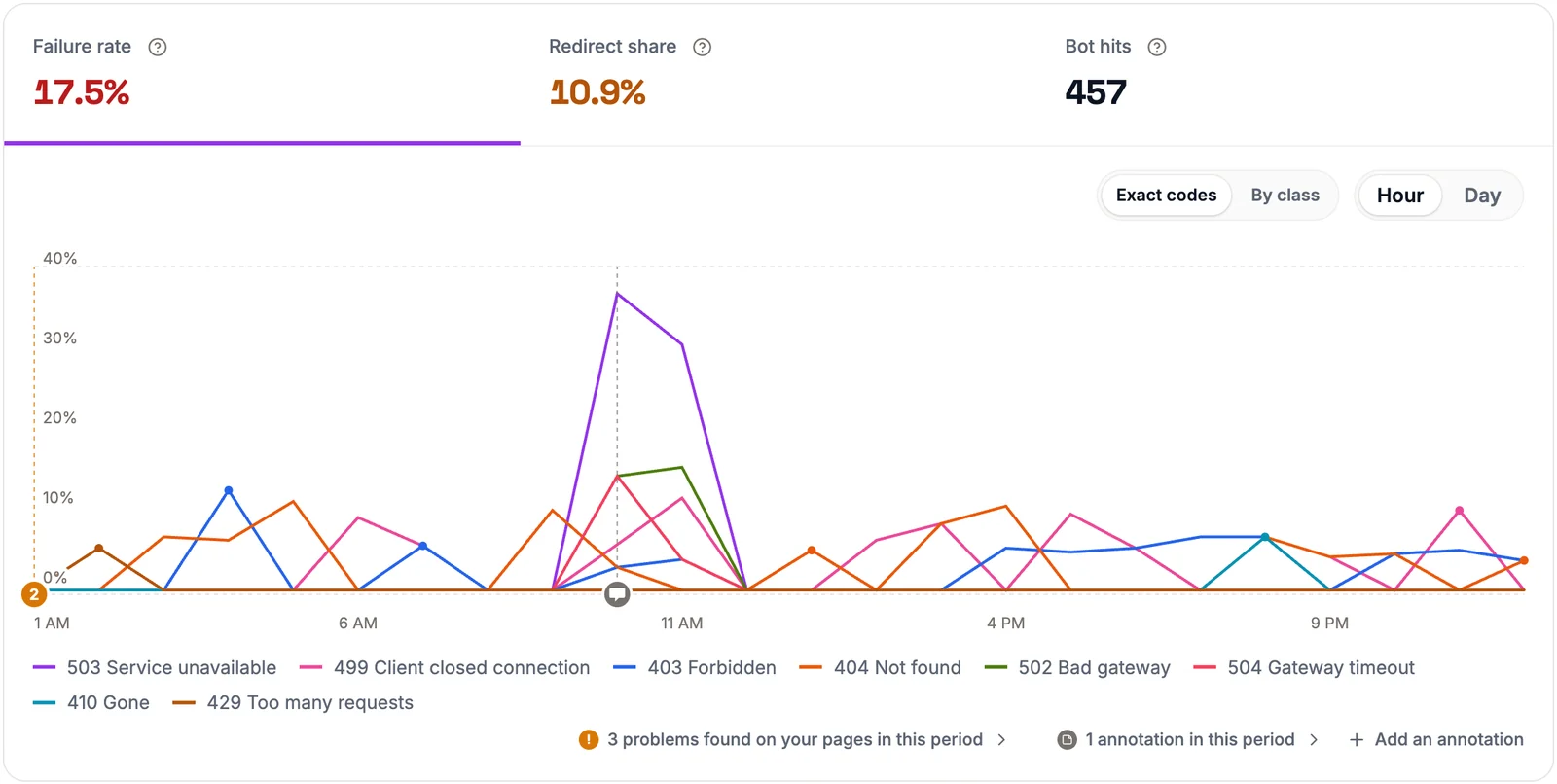 Demo workspace: during one outage hour Googlebot's answers split across 503, 502, 504 and 499, and the rest of the day is ordinary 4xx noise.
When pages start failing with a 5xx, rank them by the clicks they earn. Google Search Console's Performance report has the clicks. Site Health Monitoring opened the same outage as an issue, with the pages ranked that way. It closed on its own once the origin recovered. To fix one, open the listed pages, then check your server error log for the time of those requests.
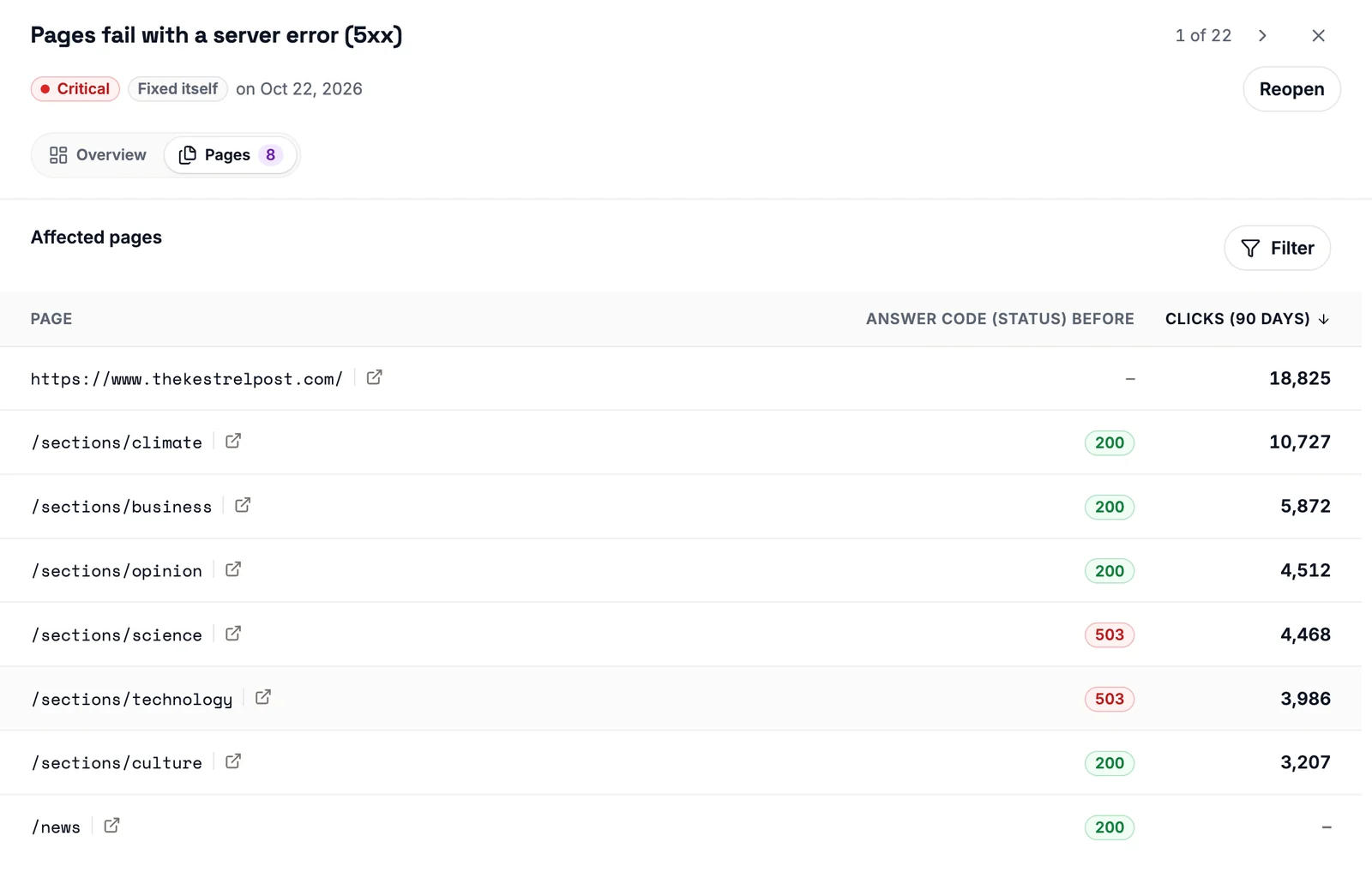 Demo workspace: the same outage as a Critical Site Health issue, with the failing pages ranked by the clicks they earned over 90 days.
Plan the 503 before the outage
If you know the origin will be down, don't let it fail into a 502. In October 2026 Google Search Central reminded sites (opens in a new tab) to serve 503 during server downtime. The alternatives are requests that time out or return 500 or 404.
So set the maintenance response at the proxy, before the deploy starts. The proxy answers 503 while the app restarts. Googlebot reads that as "come back later" instead of "this is broken".
A 502 tells a visitor to refresh. It tells Googlebot to come back less often.

Written by
Martin Stepanek
Enterprise Technical SEO Consultant
15+ years building enterprise websites and designing the infrastructure behind them, and 5+ in technical SEO and web performance. My work is making companies findable – not just on Google, but inside ChatGPT and the other AI engines people now ask first. I write a regular newsletter and blog on technical SEO at TechSEO Vitals, and I built VitalSentinel because the gap between something breaking and someone noticing should be minutes, not days.
The VitalSentinel Newsletter
New features as they ship and practical technical SEO tips. One email a week at most.
