


Pick one URL from the Discovered – currently not indexed list in Google Search Console. Then look it up in your server logs.
The status reads like a verdict. So people rewrite content, or blame the server and pay for a bigger one.
Google blames capacity. John Mueller blames quality. Both can be true, and the report can't tell you which applies to your site.
Your logs can. I ran the check on docs.vitalsentinel.com, my own docs site. Nine URLs sit in this status. Verified Googlebot didn't request a single one of them in 31 days. In the same window it got zero server errors.
Google's reason is a prediction. Your logs are the record.
What the status actually says
Google's Search Console Help article on the Page indexing report (opens in a new tab) defines it in one line: "The page was found by Google, but not crawled yet."
Typically Google wanted to crawl the page. But "this was expected to overload the site", so it rescheduled.
Google knows the URL, but Googlebot hasn't fetched it. Nothing has been judged yet.
That's different from Crawled – currently not indexed. There Googlebot fetched the page and chose not to index it. Here it never came.
Mueller was asked in a February 2022 office hours (opens in a new tab) whether the status can last a long time. His answer: "That can be forever."
So waiting isn't a plan.
Capacity or demand
Google can skip a URL it knows for two reasons. It can't, or it won't.
Capacity is the reason in Google's help text. The server looked fragile, so Googlebot backed off. You'd see it in the logs as slow responses, 5xx errors and a crawl rate that sags.
Demand is Mueller's reason. Removing pages without improving quality won't help, per his answer in the July 2023 office hours (opens in a new tab). Asked about a site cutting 8M pages down to 2M, he said it's "more about overall website quality."
Google's crawl budget guide (opens in a new tab) describes the same lever: demand depends on perceived inventory, popularity and staleness. It's written for large sites, and for sites with many URLs in this status. A 150-page docs site is a small case, so the budget language rarely fits.
Did Googlebot ever request these URLs
Start with the Discovered list. Export it from Google Search Console. In Indexing Monitoring, that list sits next to the crawl data, and the Googlebot column stays empty.
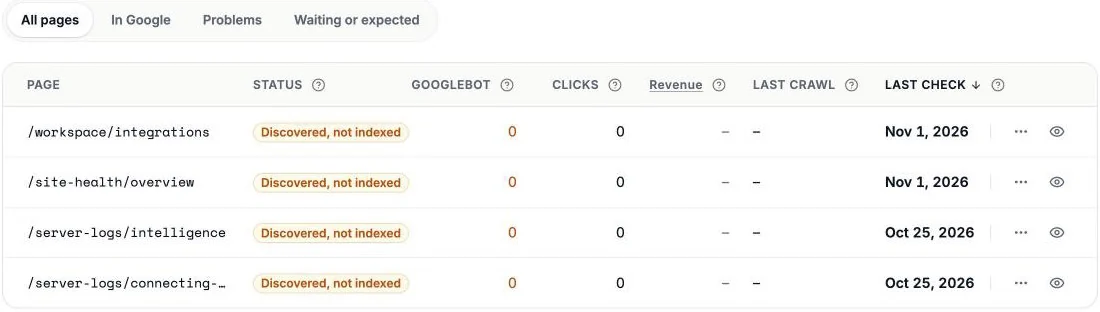 Four of the docs pages waiting in the status, each with no Googlebot visit and no last crawl date.
Then check each URL against at least 30 days of raw access logs. For one URL, a single line does it:
grep "Googlebot" access.log | grep -F "/web-analytics/realtime"
For the whole log, the free log file analyzer lists every bot, flags the fakes and shows the status codes Googlebot got.
The user agent is trivial to fake. Count only requests from Google's own addresses. Fake Googlebot: What 100 Sites Return to It shows how to check them.
I checked one site, October 4 to November 3, 2026, which is all the log history I have for it. Seven of the nine URLs had zero verified Googlebot hits. The other two weren't fetched either, according to the crawl map.
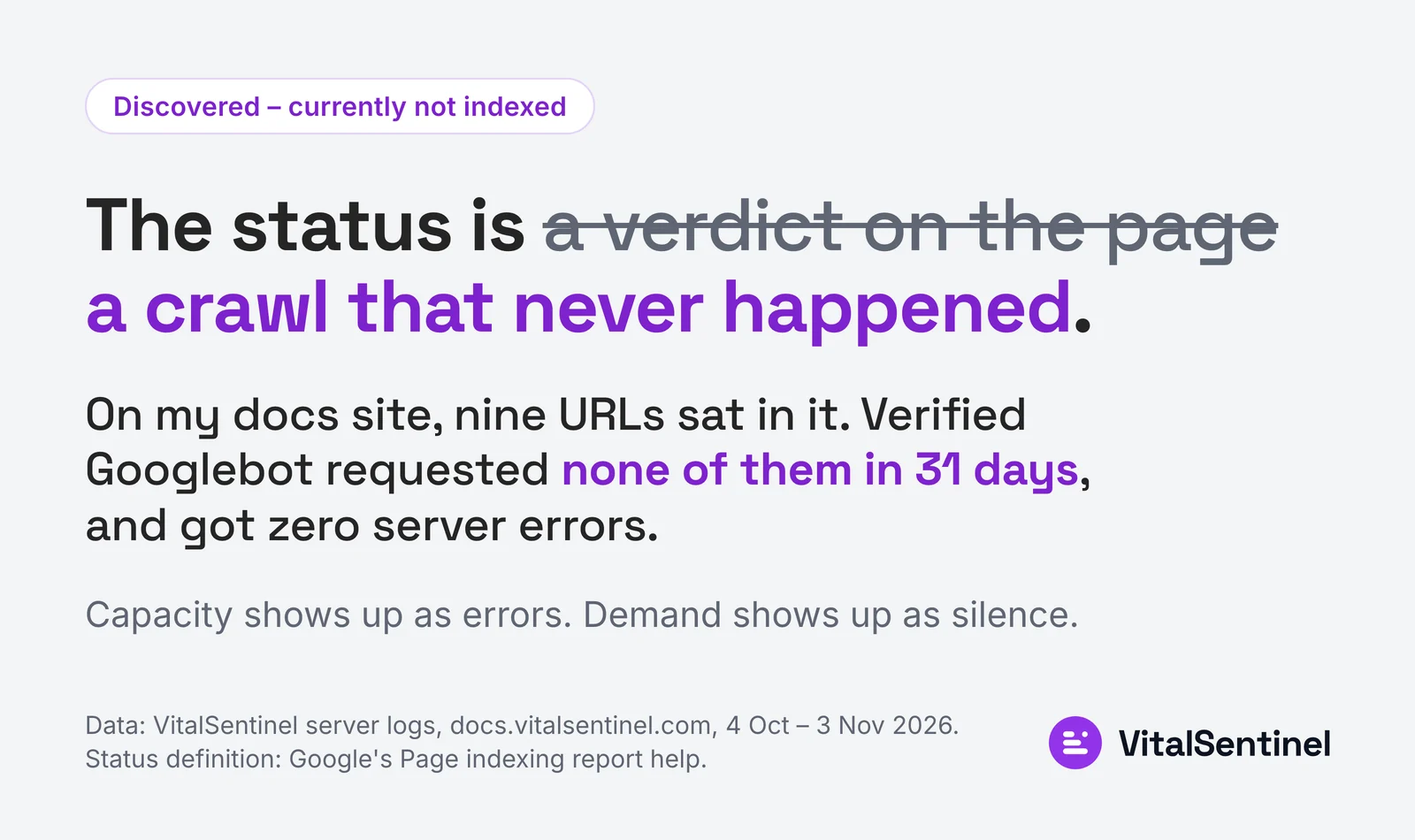 On my docs site, nine URLs sat in Discovered – currently not indexed and verified Googlebot requested none of them in 31 days.
Zoomed out, the gaps follow folders. Googlebot covers some folders almost completely and skips others whole.
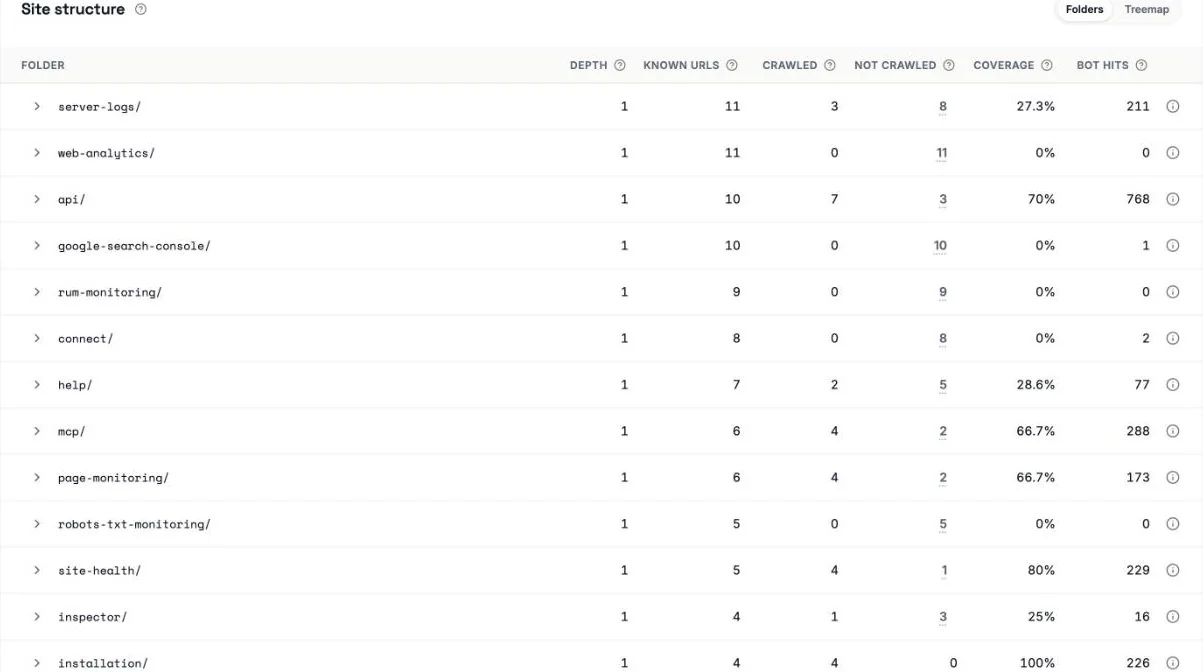 Whole folders Googlebot never touched sit next to folders it covers fully.
If Googlebot never requested the URL, the status is a crawl problem. Fix the crawl before you touch the content.
Sitemap URLs Googlebot never asked for
The sitemap is the next place to look. It's the list you handed Google yourself, so check it against the crawl.
My docs sitemap holds 147 URLs. Googlebot didn't fetch 25 of them in 30 days. Seven of the nine Discovered URLs are on that list. The other two aren't in the sitemap at all.
Without a tool, you can do this with two files:
- Pull the URLs from the sitemap.
- Pull the paths Googlebot requested from the log.
- Diff them. What's left was submitted and ignored.
Run the file through a sitemap validator first, so a parse error doesn't look like a crawl gap.
Then look at what the sitemap says about freshness. Each entry has a lastmod tag, the date the page last changed. I fetched the file. All 147 carry the same lastmod, to the same second. That looks like a build timestamp, not a change date.
A lastmod that changes everywhere tells Google nothing about any single page.
One more check on the same list. In the server-logs folder, other crawlers did fetch the pages Googlebot skipped. So the pages answer fine. Only Googlebot didn't ask.
Check the server before you blame quality
Rule out capacity first.
Look at what Googlebot received. TTFB is the time a server takes to start answering.
| Verified Googlebot on my docs site, 31 days | Value |
|---|---|
| Requests | 666 |
| 2xx success | 97.75% |
| 5xx errors | 0 |
| TTFB, 75th percentile | 214 ms |
 Real Googlebot got no error on 98% of visits, while the errors pile up on unverified hits using its name.
Google calls a TTFB of 0.8 seconds or less good (opens in a new tab). My own line is stricter: good under 250 ms, fix over 500 ms. This server passes both.
If your picture looks different, the server is the first fix. 5xx errors or 429 rate-limit responses on Googlebot requests, or a TTFB creeping toward 1000 ms, mean capacity. Fix response time before anything else.
On my site there's nothing to fix there. Healthy answers and no requests point at demand. Look at the pages next.
When it's quality
If the server is fine and Googlebot stays away, Google likely doesn't think the URLs are worth the trip.
Check for thin templates, faceted URLs, near-duplicate pages and redirect chains. Soft 404s, pages that say they're gone but still return a 200 status, belong on the list too. The crawl budget guide (opens in a new tab) says they "will continue to be crawled, and waste your budget."
Cut the waste first. Then improve the pages you want indexed. Mueller's point stands: deleting URLs without lifting quality won't move the status.
Internal links are the lever you control here. A page linked from the nav and from related pages looks important. A page reachable only through the sitemap looks like an afterthought.
What to fix first and what to leave alone
Work in this order. Fix server errors and slow responses on Googlebot requests. Fix the sitemap so it lists only indexable URLs with honest lastmod dates. Link the pages that matter from pages Googlebot already visits. Improve or merge thin pages. Stop when the logs say you're done.
Leave the status itself alone. Don't delete pages to shrink the number. Don't wait for it to clear on its own either.
The logs settle what the report can't
On my docs site, nine URLs sat in Discovered – currently not indexed. Verified Googlebot requested none of them in 31 days.
The server wasn't the reason. Googlebot got zero 5xx errors, and three in four answers started within 214 ms.
The sitemap was the open problem. 25 of its 147 URLs went unfetched, seven of the nine Discovered URLs among them, and every entry carried the same lastmod.
So on this site the fix is the sitemap and the internal links, not the server and not the content.
Google says it hasn't crawled the page yet. Your logs show whether it ever asked.

Written by
Martin Stepanek
Enterprise Technical SEO Consultant
15+ years building enterprise websites and designing the infrastructure behind them, and 5+ in technical SEO and web performance. My work is making companies findable – not just on Google, but inside ChatGPT and the other AI engines people now ask first. I write a regular newsletter and blog on technical SEO at TechSEO Vitals, and I built VitalSentinel because the gap between something breaking and someone noticing should be minutes, not days.
The VitalSentinel Newsletter
New features as they ship and practical technical SEO tips. One email a week at most.
